
 Scriptorium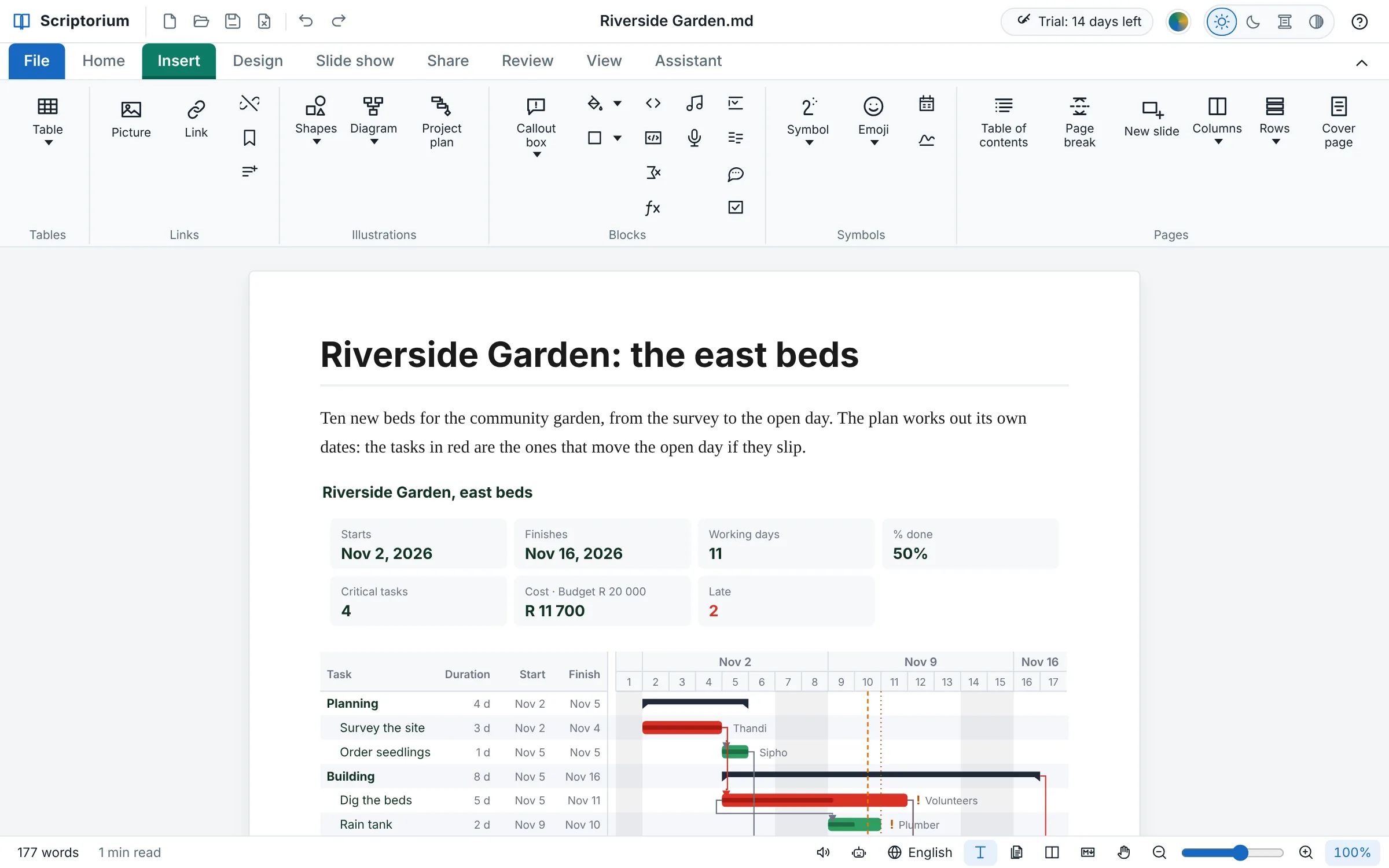
New in 3.54
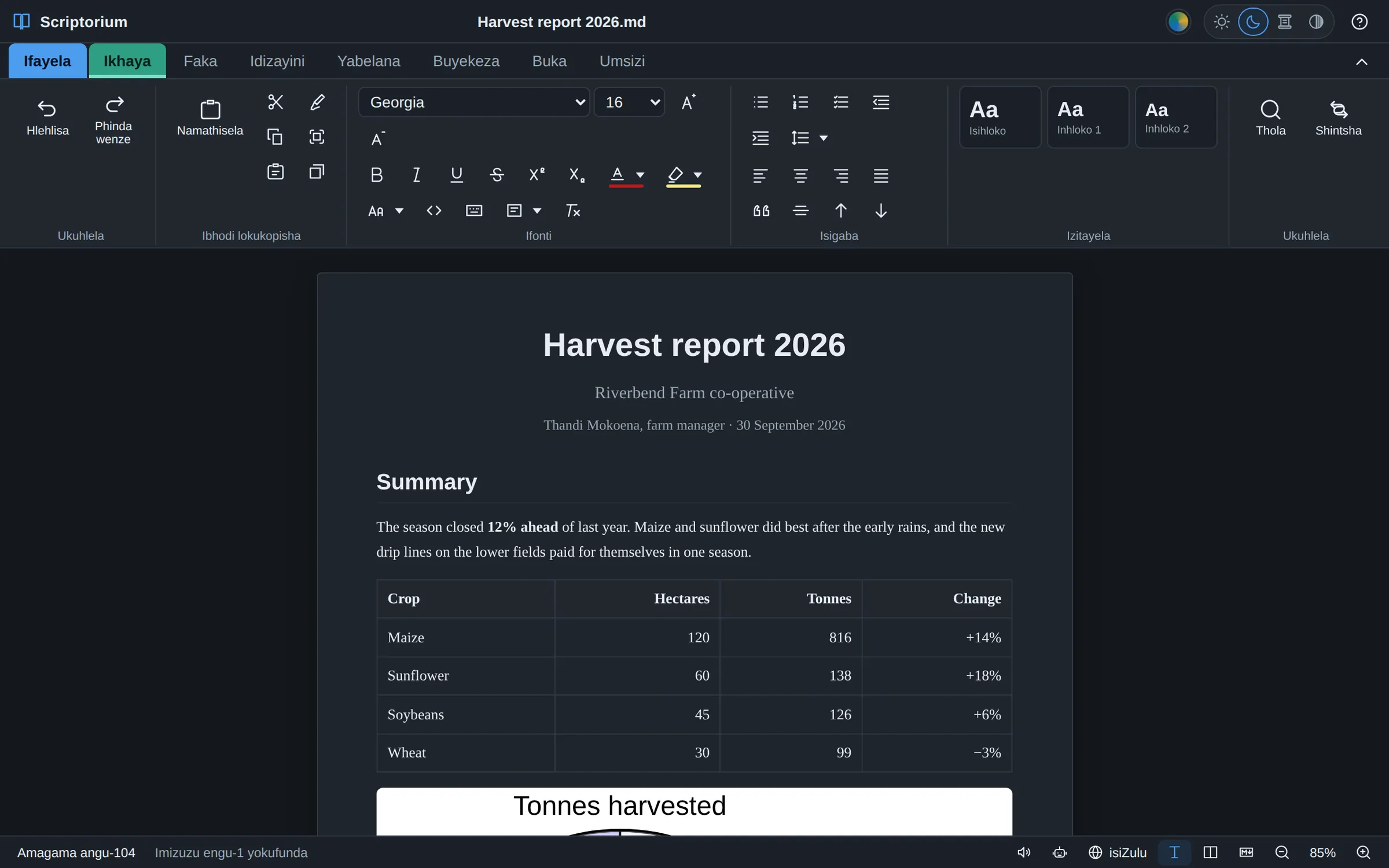
Project plans in the report
The plan sits in the document it belongs to, its summary and Gantt chart worked out from the tasks, and changes when they do.
 Scriptorium 3.54 · for Windows, Linux and Android tablets
ChatGPT, Claude and Gemini write in Markdown. Scriptorium turns it into a proper document, and lets you write it with the ribbon you already know, without a single symbol to learn. Books, exam papers, song sheets and reports, read aloud if you like, in 60 languages and on your own computer.
14 days free with everything switched on, no account and no card. After that it stays a free Markdown reader, for as long as you like.

Scriptorium 3.54 plans projects the way Microsoft Project does, inside the report, the proposal or the slide show they belong to: the tasks, how long each takes, what each waits for and who does it. It works out every date, draws the Gantt chart with the critical path in red, and keeps the plan as a few lines anybody can read. Below it, the slide shows of 3.51 to 3.53: a narrator in a computer voice, and banners that move. Everything that’s new, with pictures.
A table of tasks like Project’s: how long each takes, what it comes after, who does it and how far it has got. Indent a task and the one above becomes a summary that adds up its tasks. Scriptorium works out every start and finish, over weekends and holidays, and draws the Gantt chart beside the table as you type.
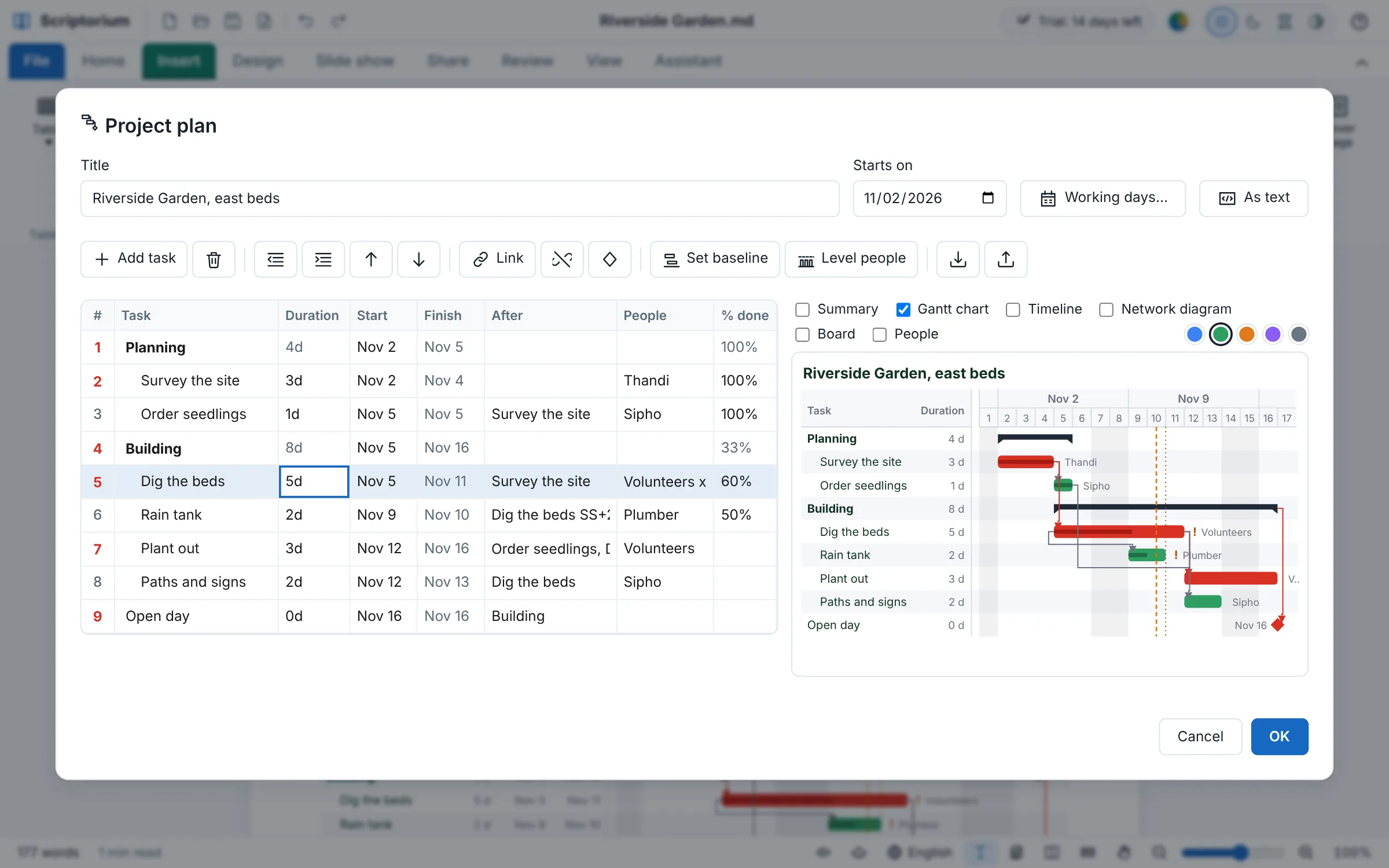
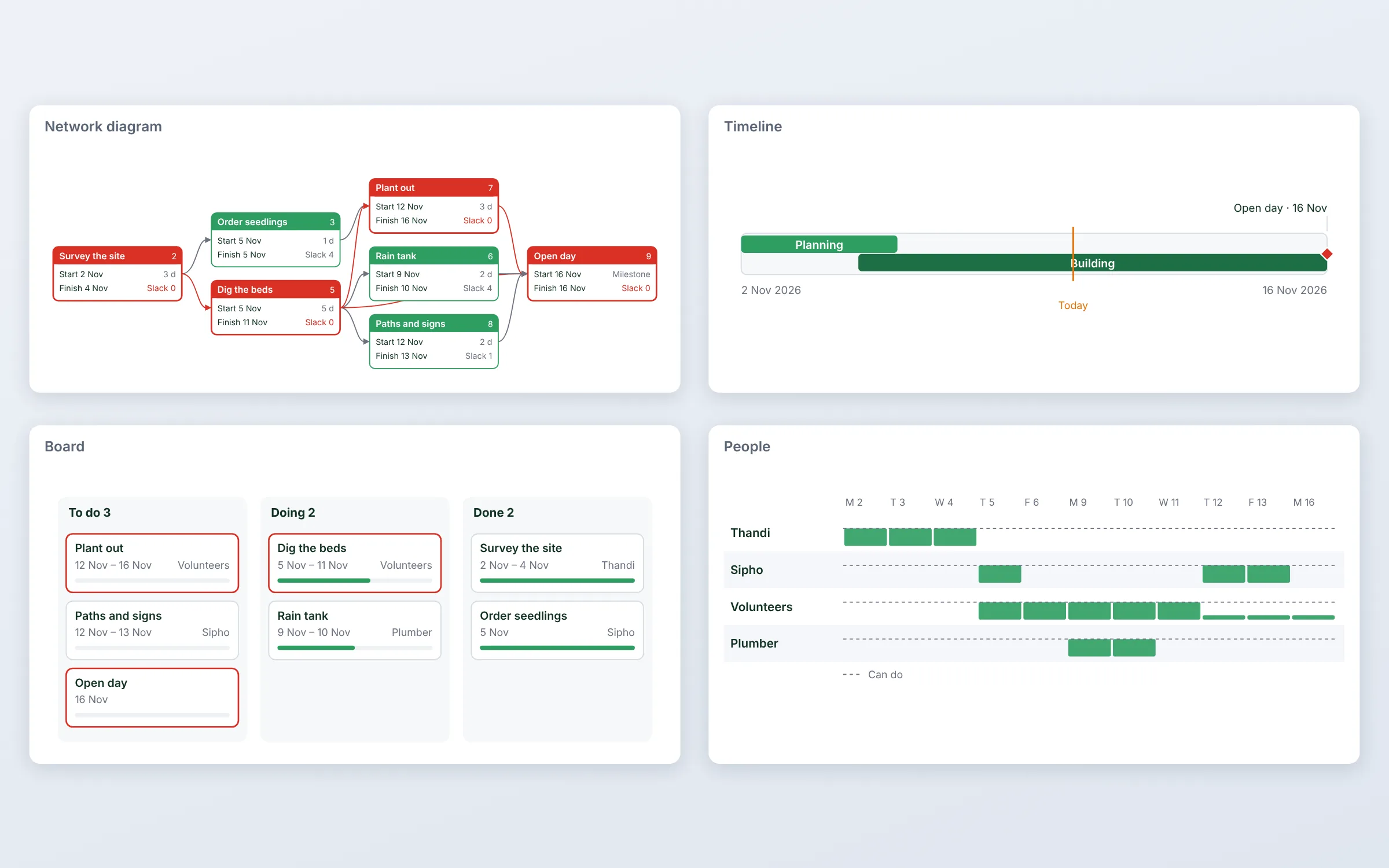
The same plan drawn the way each reader needs it: a Summary of the dates, the cost and the budget for the report’s first page, the Gantt chart, a Timeline for a slide, a Network diagram of how the tasks hang together, a Board of what is to do, doing and done, and People, each person’s load day by day.
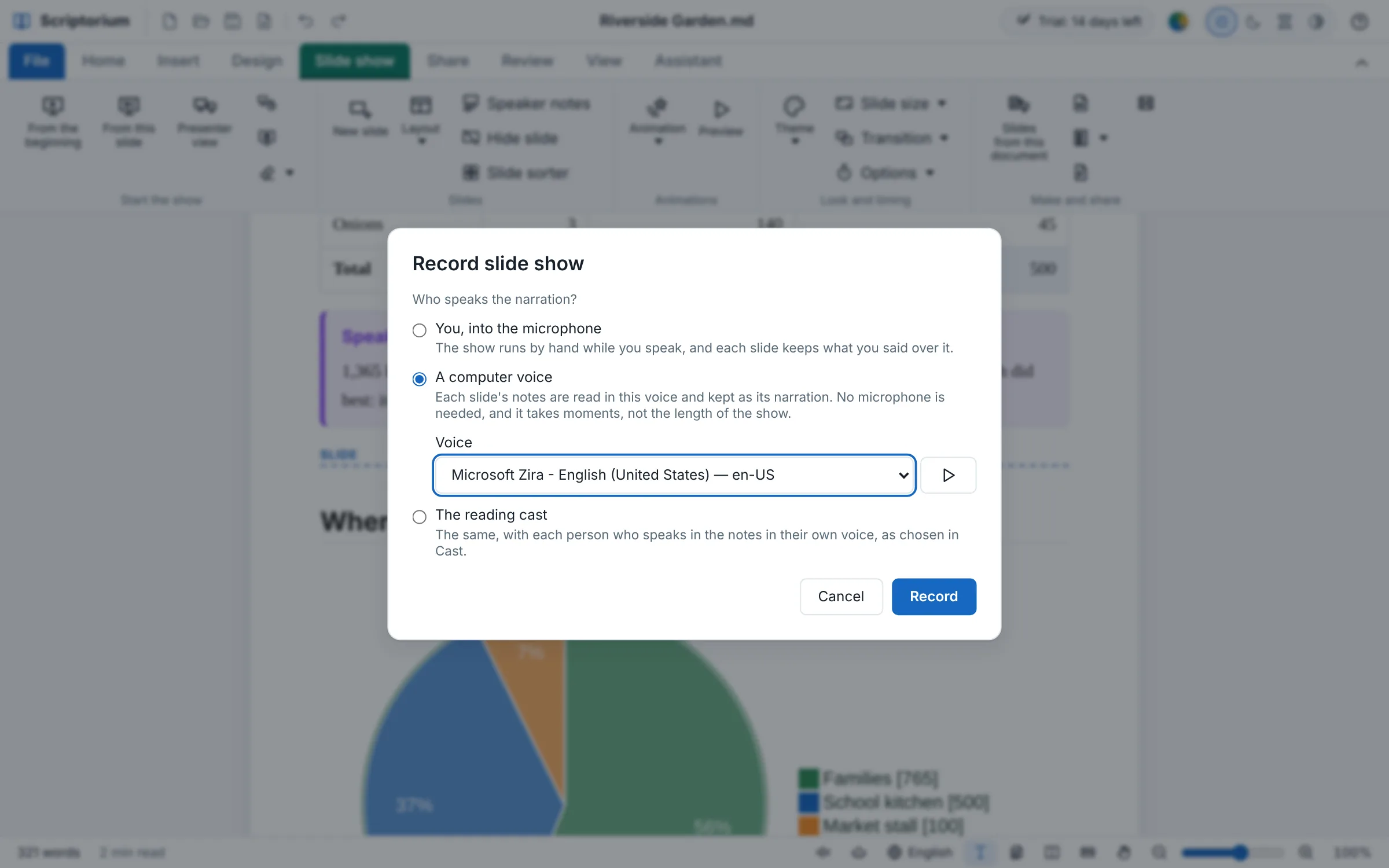
Record slide show asks who speaks: you, into the microphone, or a computer voice that reads each slide’s notes into the show. It takes moments, not the length of the talk. Choose The reading cast and everyone who speaks in the notes has a voice of their own, as in Read aloud.
A slide can be any size now: a leaderboard banner, a medium rectangle, a skyscraper, a square post or a story, from twelve ready-made sizes or your own in pixels. The words grow as big as they fit. Animated GIF saves the slides as a picture that plays itself, each slide for its time, its points coming in, a fade between them.

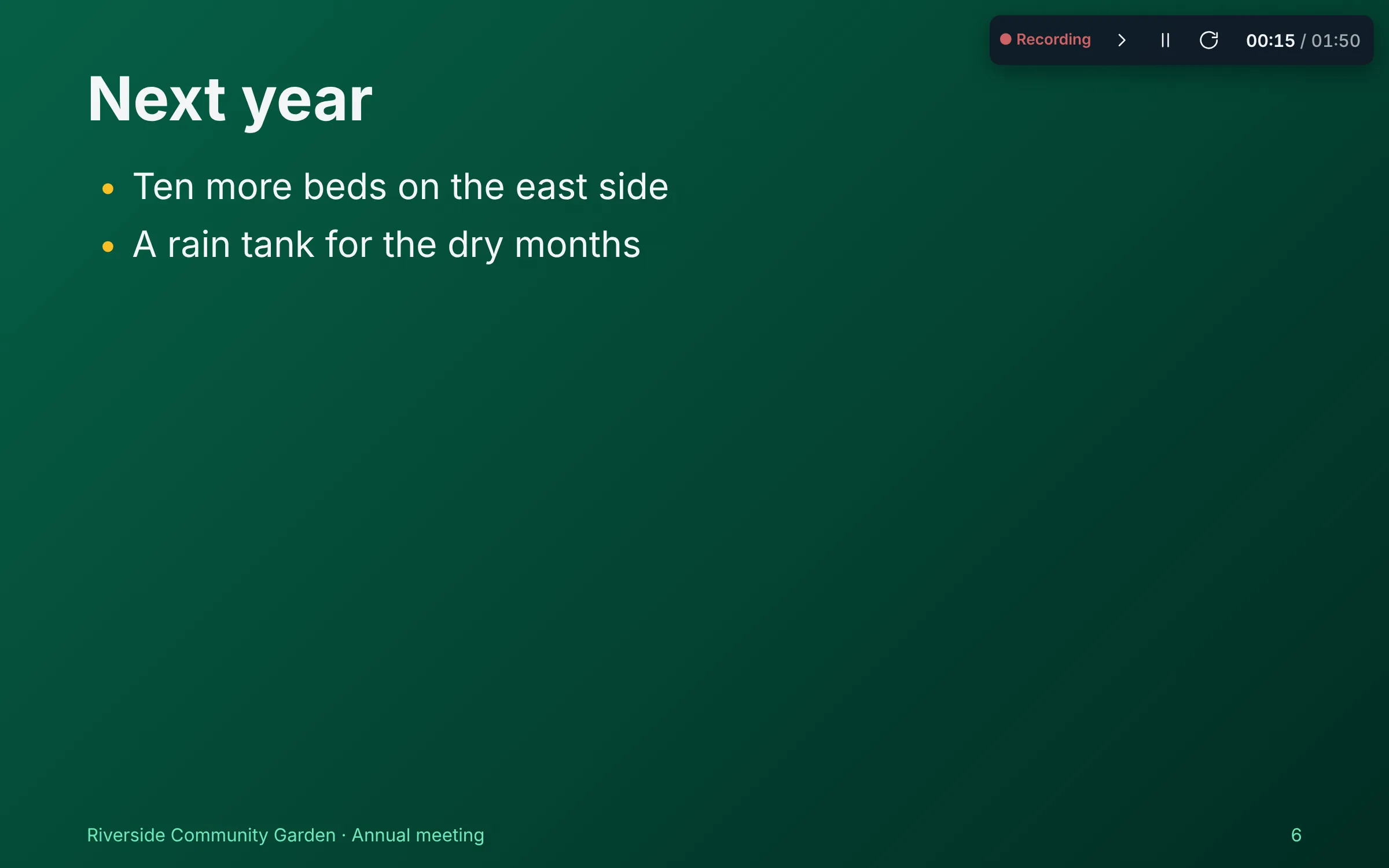
Put the cursor in a paragraph, a list, a picture or a table and choose how it comes in: Fade in, Rise up, Fly in from the left, Zoom in, Wipe and more, on a click or after the one before, a list an item at a time. On the page it is a small tag over the block, and the writing stays plain Markdown.
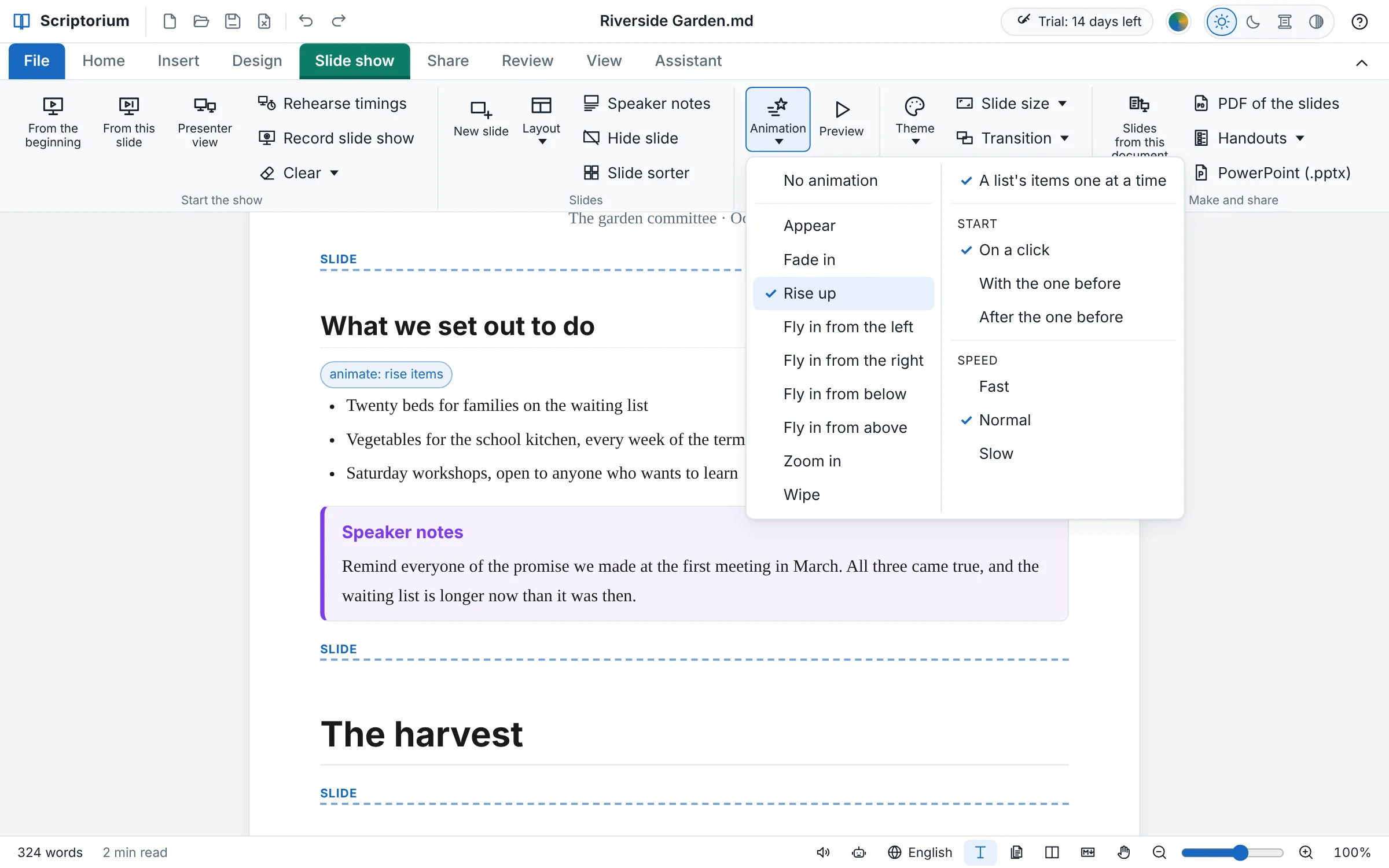
Rehearse timings runs the show with a clock in the corner; keep the timings and every slide stays up as long as you gave it, each point coming in when you brought it in. Record slide show does the same with the microphone on, and puts what you said on each slide into its notes, so the show can speak for itself.
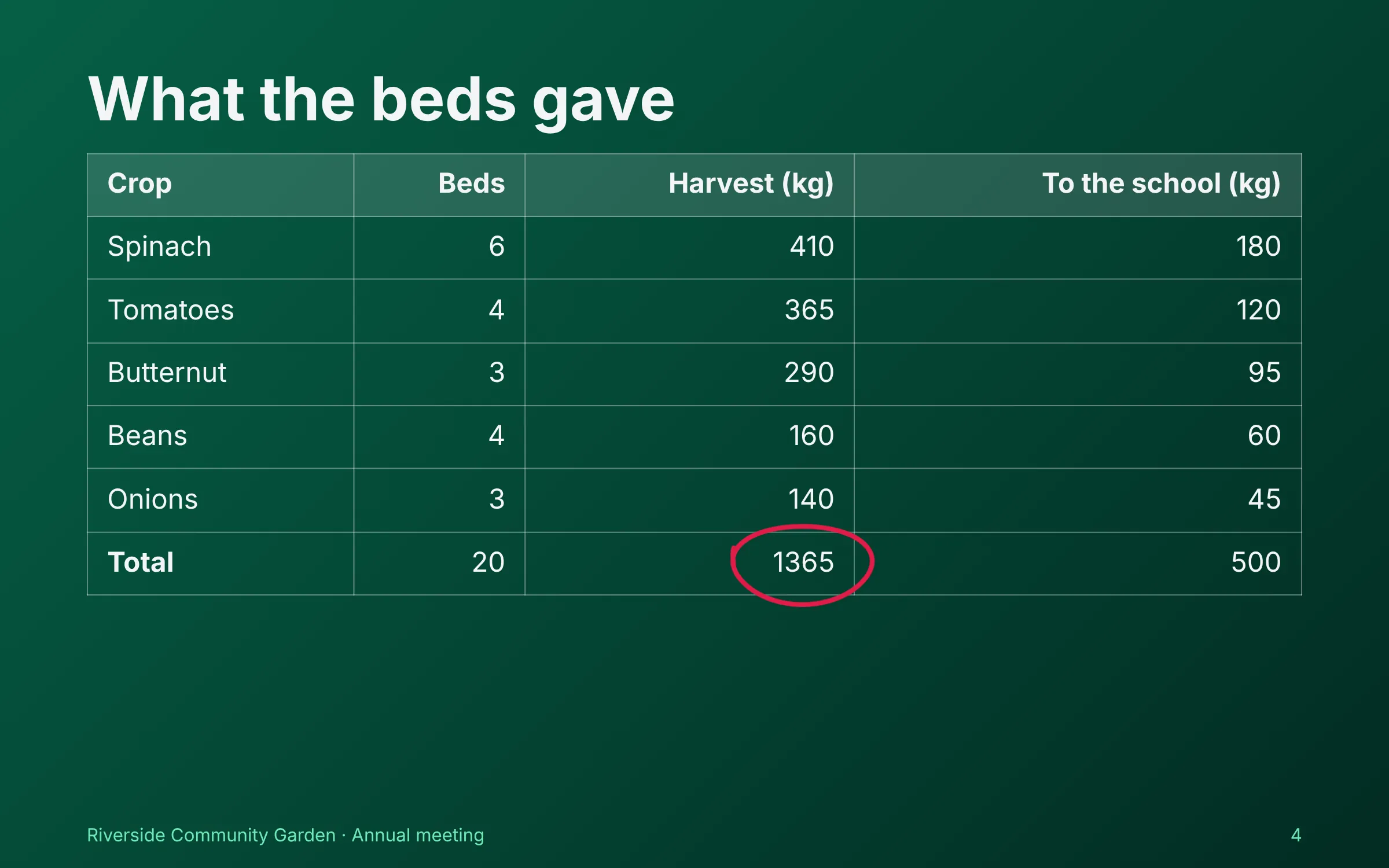
A report, a lesson or a sermon is already a slide show: each heading starts a slide, and New slide (Ctrl+M) puts a break wherever you want one. The words are laid out for the slide and made smaller until they fit, so there are no boxes to nudge; a heading alone becomes a section slide, a picture alone fills the slide, and a short line is shown big.
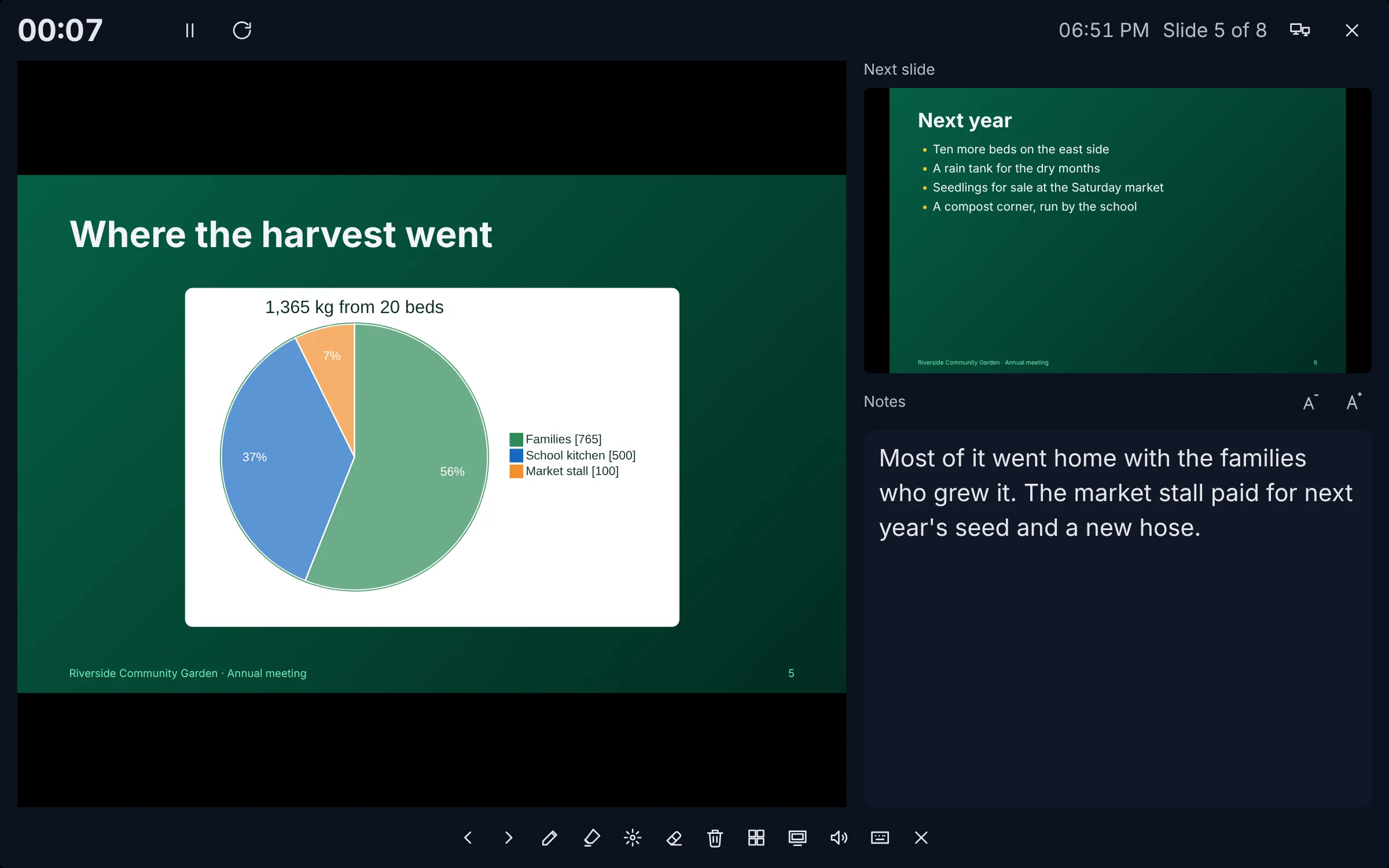
On your screen, the slide, the next one, your Speaker notes in big letters, a timer and the clock; on the projector, the slides full screen, opened there by themselves when a second screen is plugged in. Or switch on Read the notes aloud: Scriptorium reads each slide’s notes in the reading-aloud voice and moves on when they are done.
As in Excel 365, a formula whose answer is a block of values fills the empty cells to its right and below it. One formula sorts a list, keeps the rows that meet a condition, gives each value once, or adds a whole table up by stall, by month or by person, with totals. Change a figure and the block follows; add rows and it fills them.
=SUM(B2#) adds a whole block, however big it grows, and each value keeps its look, dates as dates, rands as rands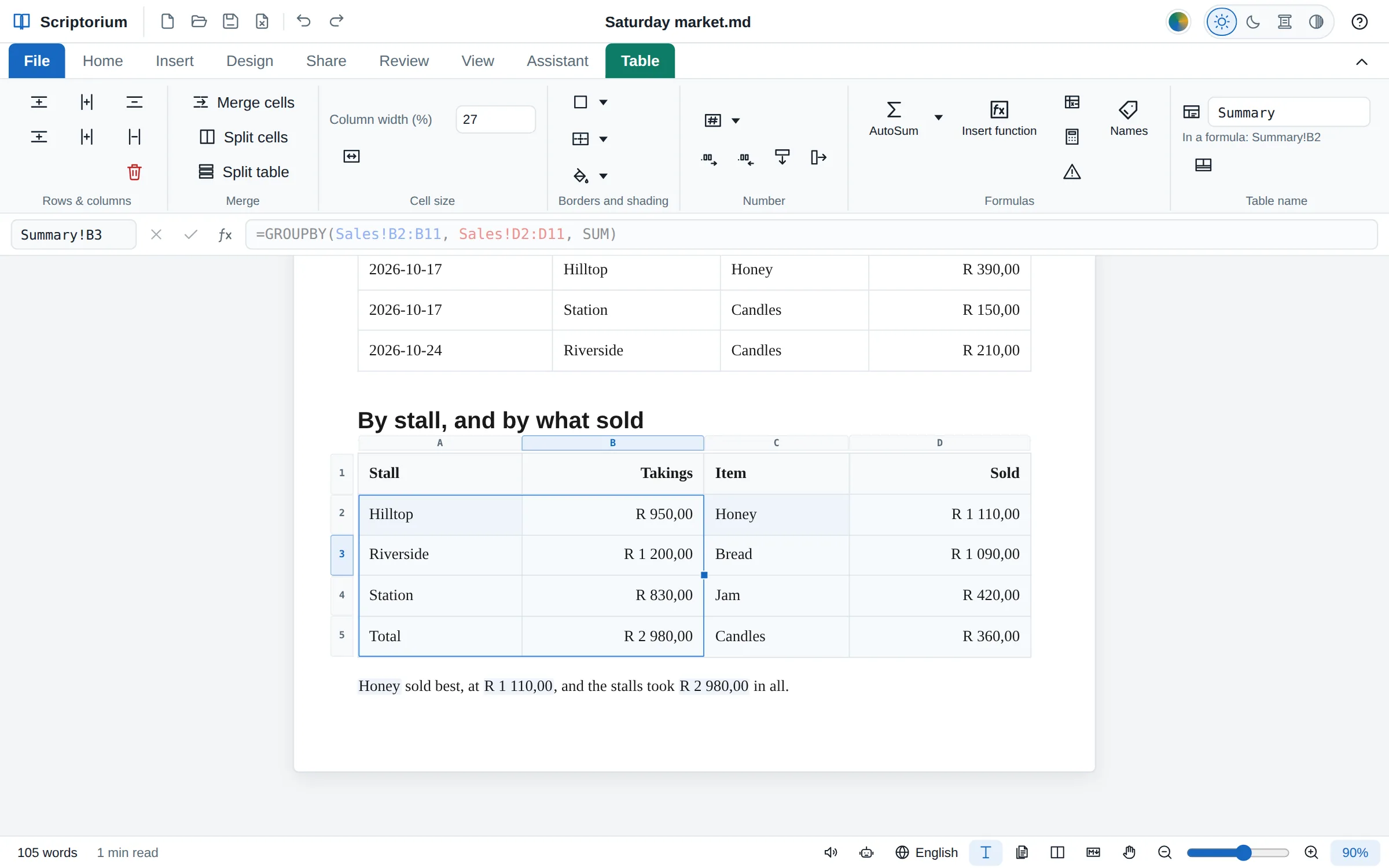
Write a calculation once, with places for its values, and give it a name: WithVat: =LAMBDA(price, ROUND(price*(1+VAT), 2)). Then =WithVat(B2) works in every table of the document, and changing it in Names changes every answer.
=BYROW(B2:D9, SUM) takes a function by its name, as Excel does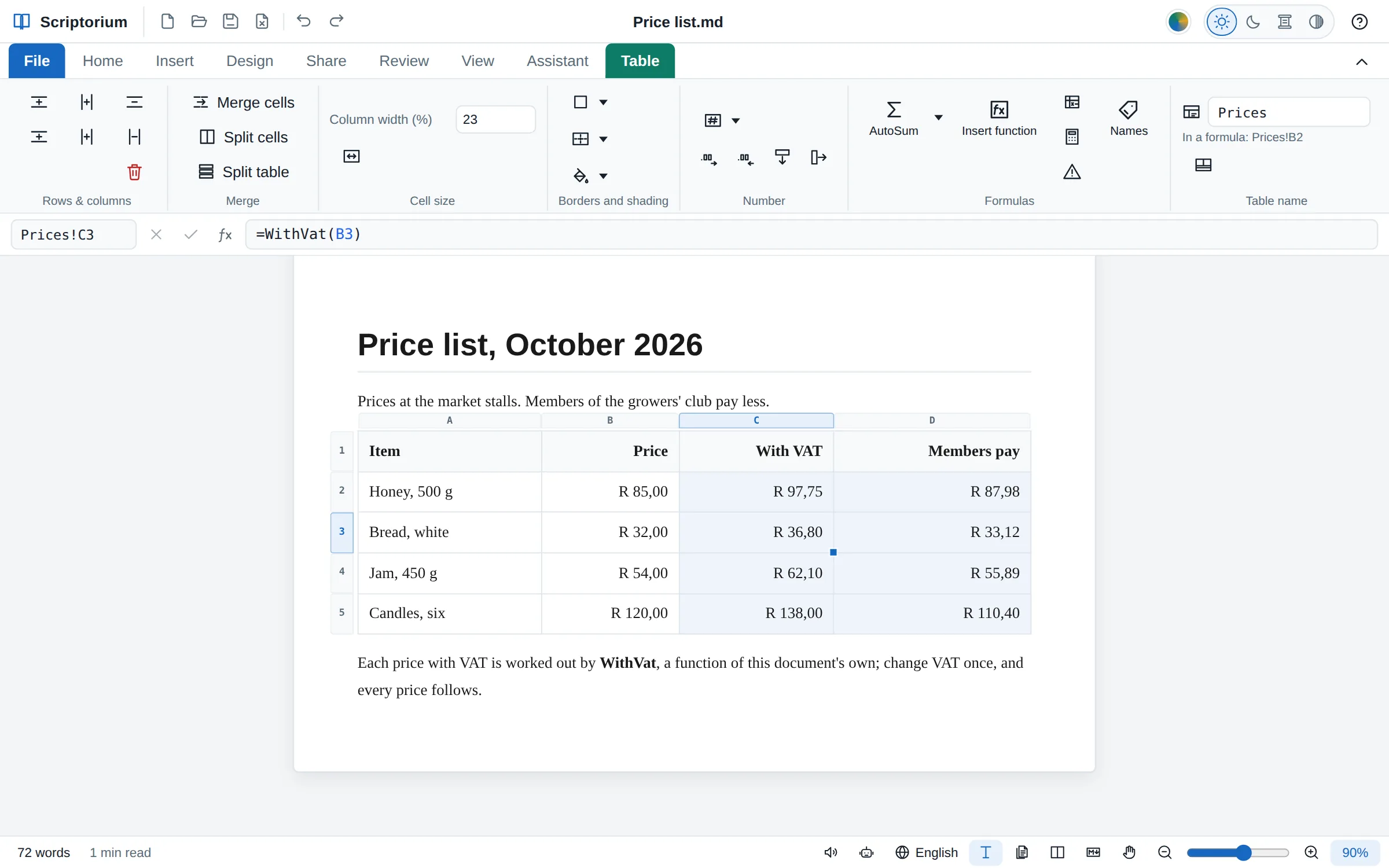
Give every page a colour, edge to edge, margins and all, or put a colour behind a heading, a paragraph or the cells of a table. What you see is what comes out of the printer and goes into the PDF: Scriptorium asks for every colour to be printed, which a browser leaves out unless asked.
{shade:amber} before a paragraph, {cell:fill=green} in a cell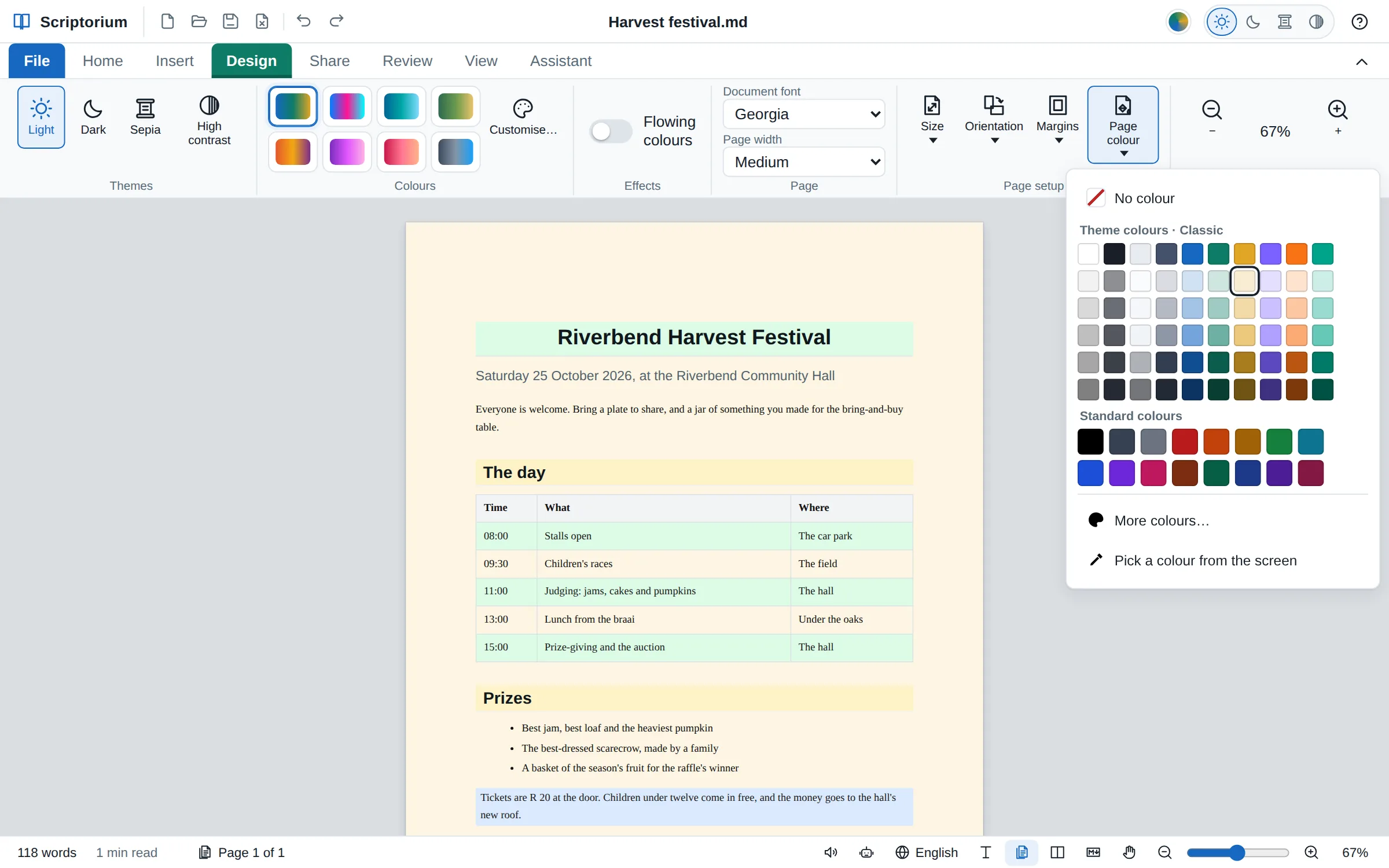
A table now keeps what Excel keeps with its cells: a number format for each, names for the values every formula uses, a column named by its heading and a totals row. And File ▸ Export makes an Excel workbook of your tables, each a sheet with its formulas still working; an Excel file you open comes in the same way.
=B5*VAT follows when the rate changes=[@Qty]*[@Price] in each row, Order[Amount] from anywhere, and a Totals row the column stops above![An invoice table with the Number format menu open on the Table tab, Currency ticked, and the formula bar showing =[@Qty]*[@[Unit price]] for Order!D3](/img/scriptorium/numformat@2x.webp)
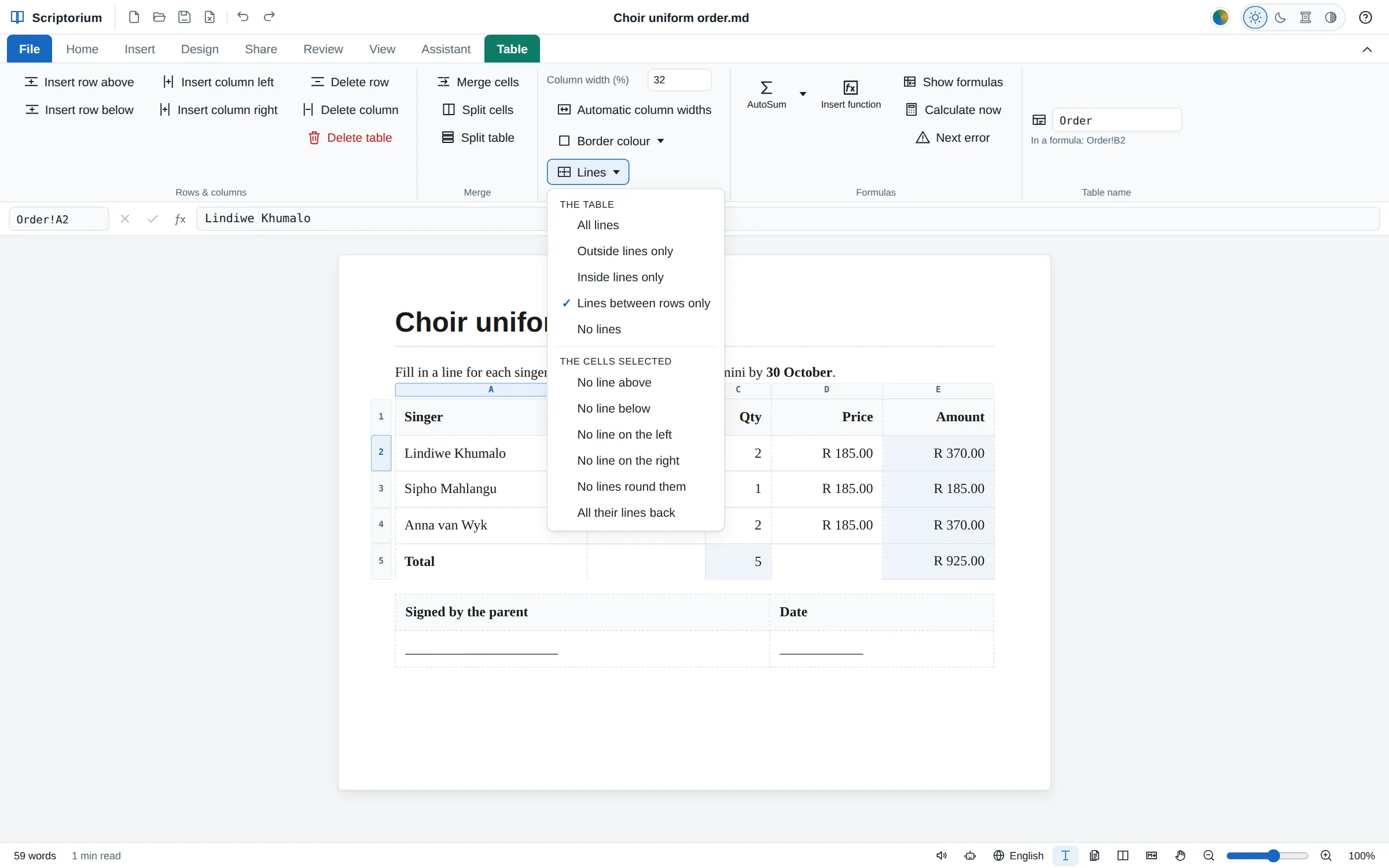
Keep just the lines between the rows of an order form, only the outside line round a box of notes, or no lines at all under a signature block. Or take away one line, such as the one under a total. While you type, a line left out shows faint and dashed so you can still find the cells; on paper it is simply gone.
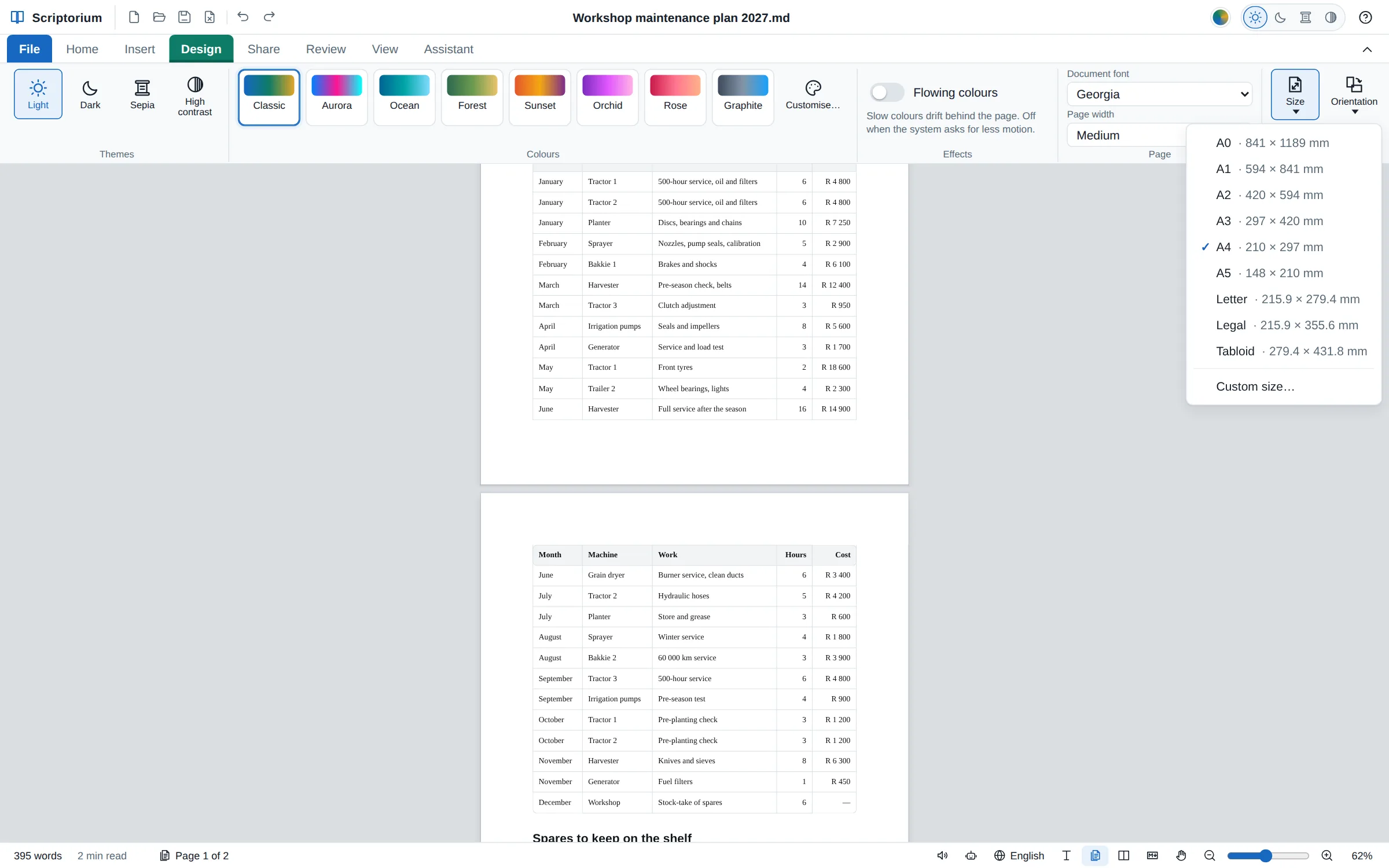
88 more of Excel’s functions (110 with their older names), with Excel’s names: the probability distributions and the tests, the bond and security calculations, and the database functions that add up the records of a table that meet your conditions. Each was checked against LibreOffice Calc, in 2,312 cases, and where Excel gives a different answer, Excel’s is used.
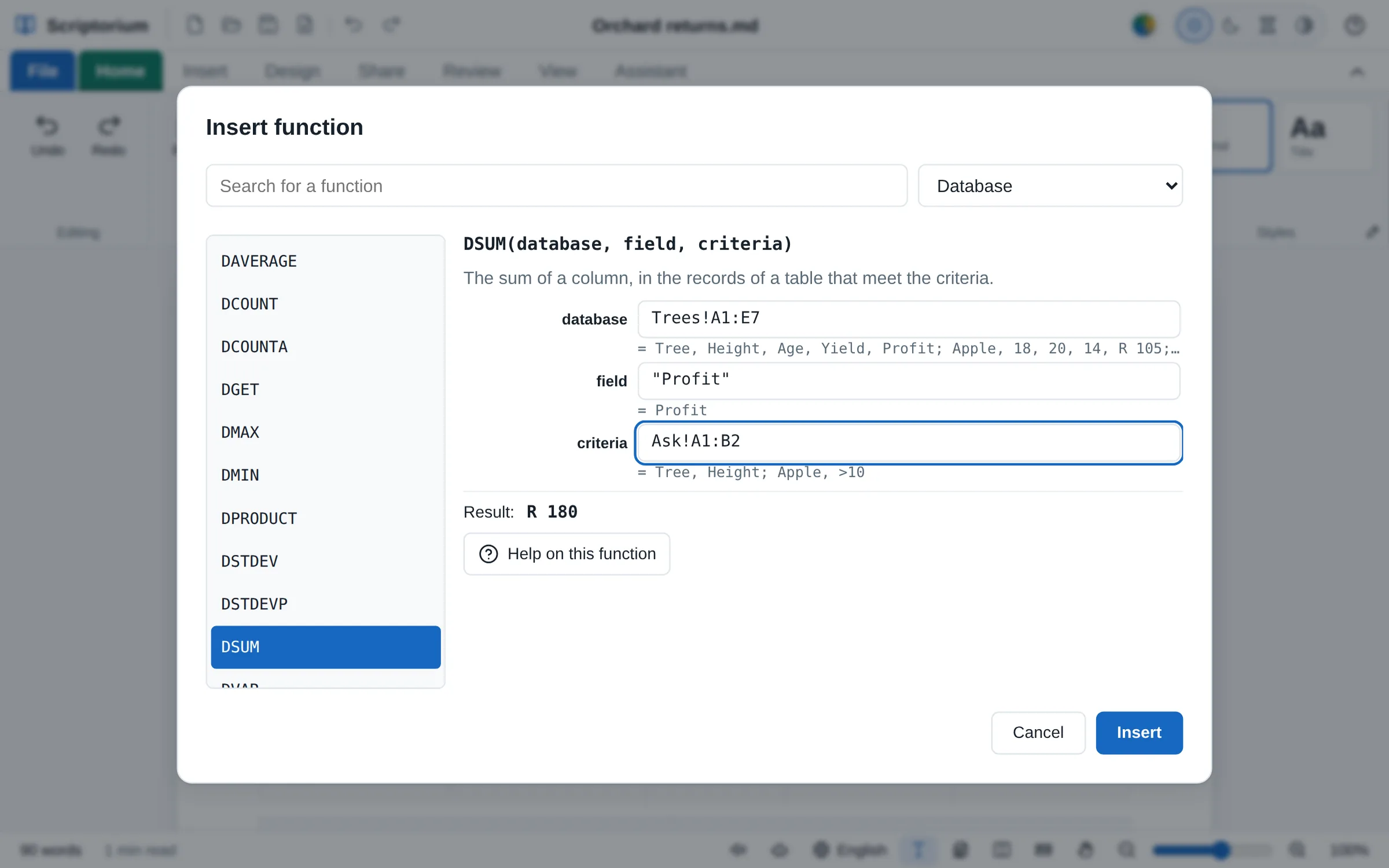
The Markdown view draws a # heading biggest, then ##, ### and the rest, as the page does, so the shape of a document shows in its code as well. With the Markdown in colour or without it; the file itself stays plain text.
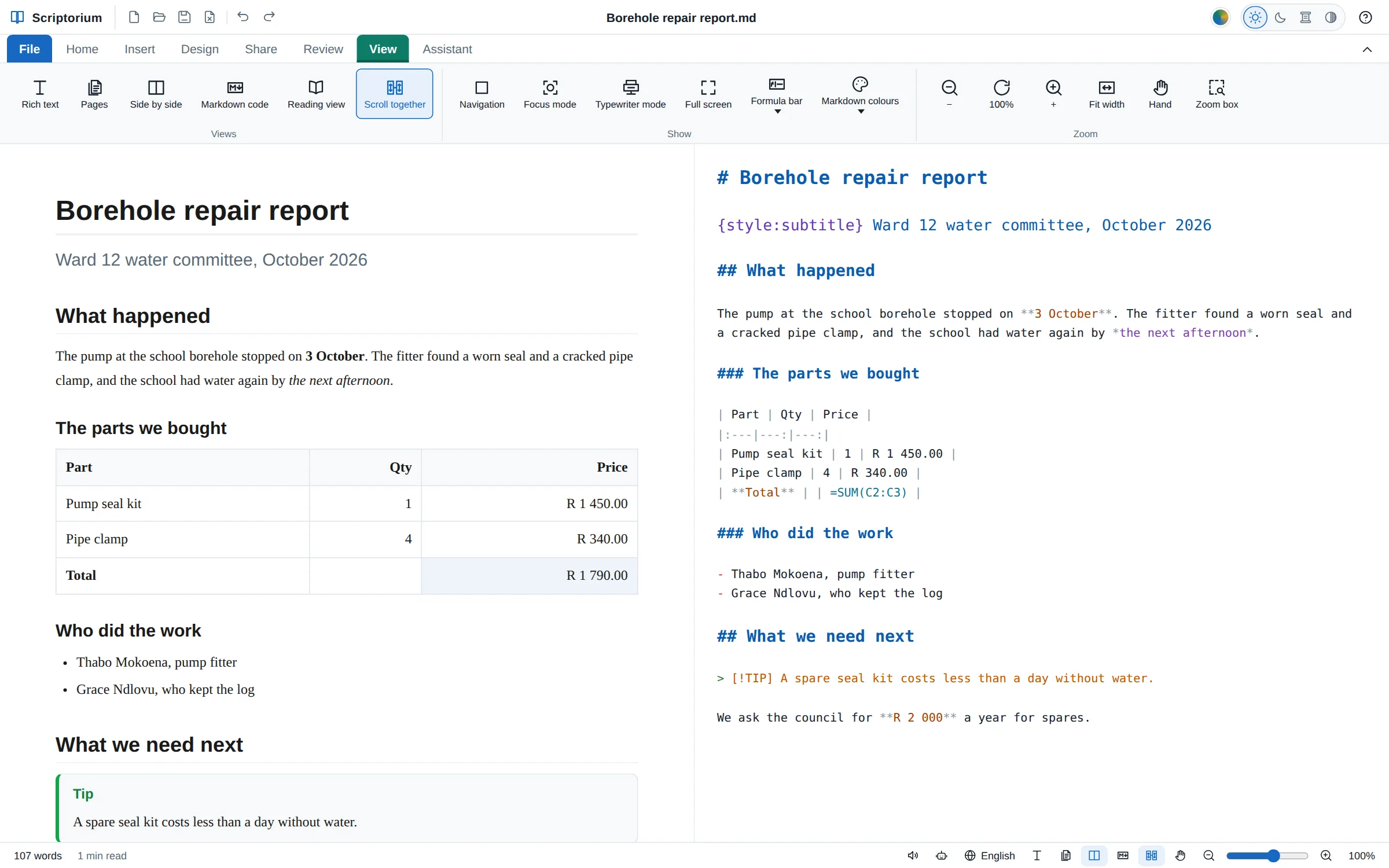
Type =FACTOR(x⁴ − 1) and the cell shows (x − 1)(x + 1)(x² + 1), set as maths with real fraction bars and root signs. Solve equations exactly, differentiate, integrate and find limits, in a table cell or in the middle of a sentence: change a number in a formula and its answer follows.
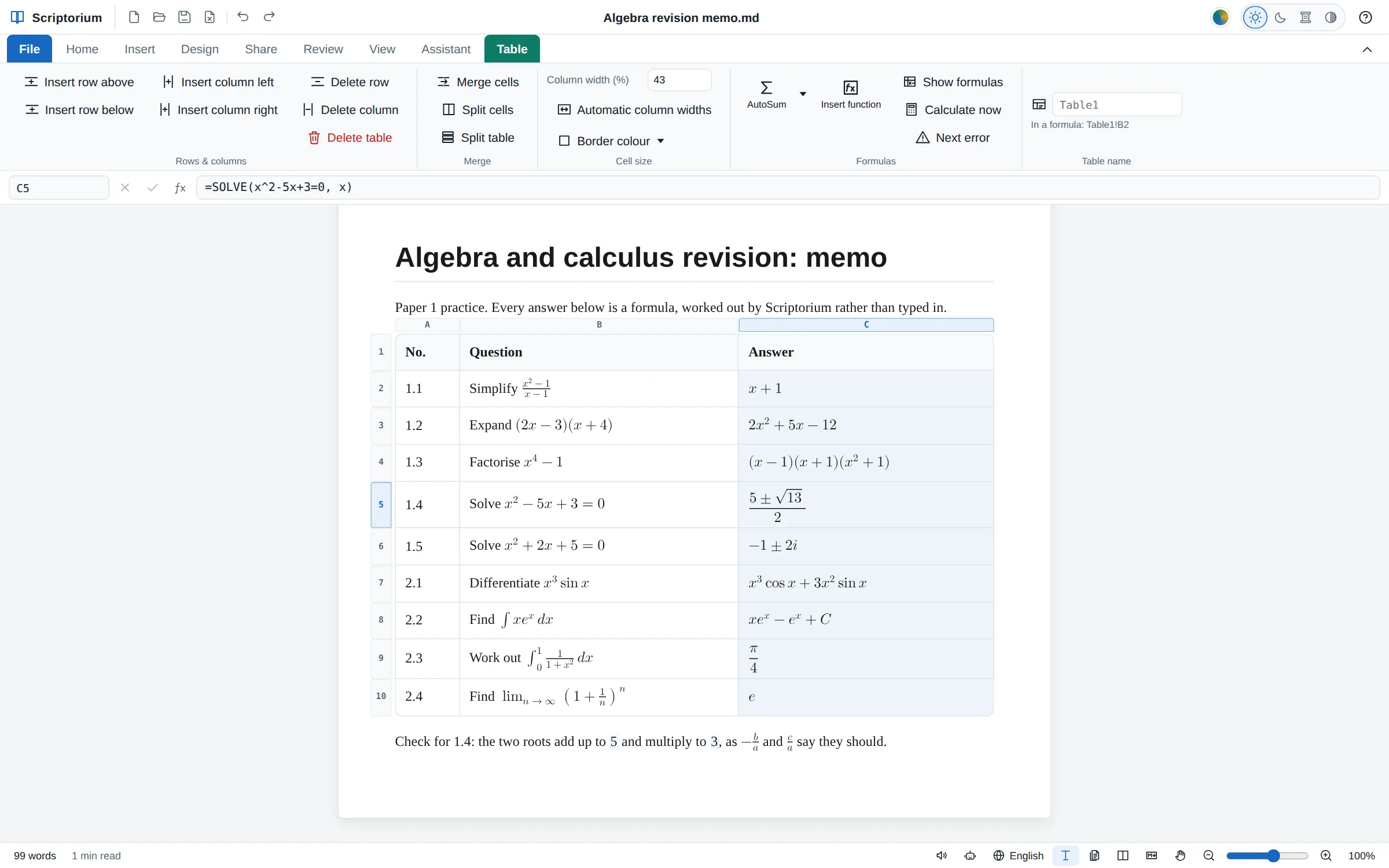
Sheets of A4, Letter or any paper, one under the other, with the margins round the writing and every page ending exactly where the printed page ends. Type, select, undo and find on them just as on the long sheet, which stays for writing without breaks.
Type =SUM(D2:D6) in a cell and the cell shows the total. Change a quantity or a price and every total that depends on it follows. The formula is kept in the Markdown, so the file still reads sensibly in any other program, and everything you print or export gets the answers.
{=Spares!D7}=√2 and =πr² where r = 3, and maths Excel cannot do: exact fractions, solving equations, integrals and eigenvalues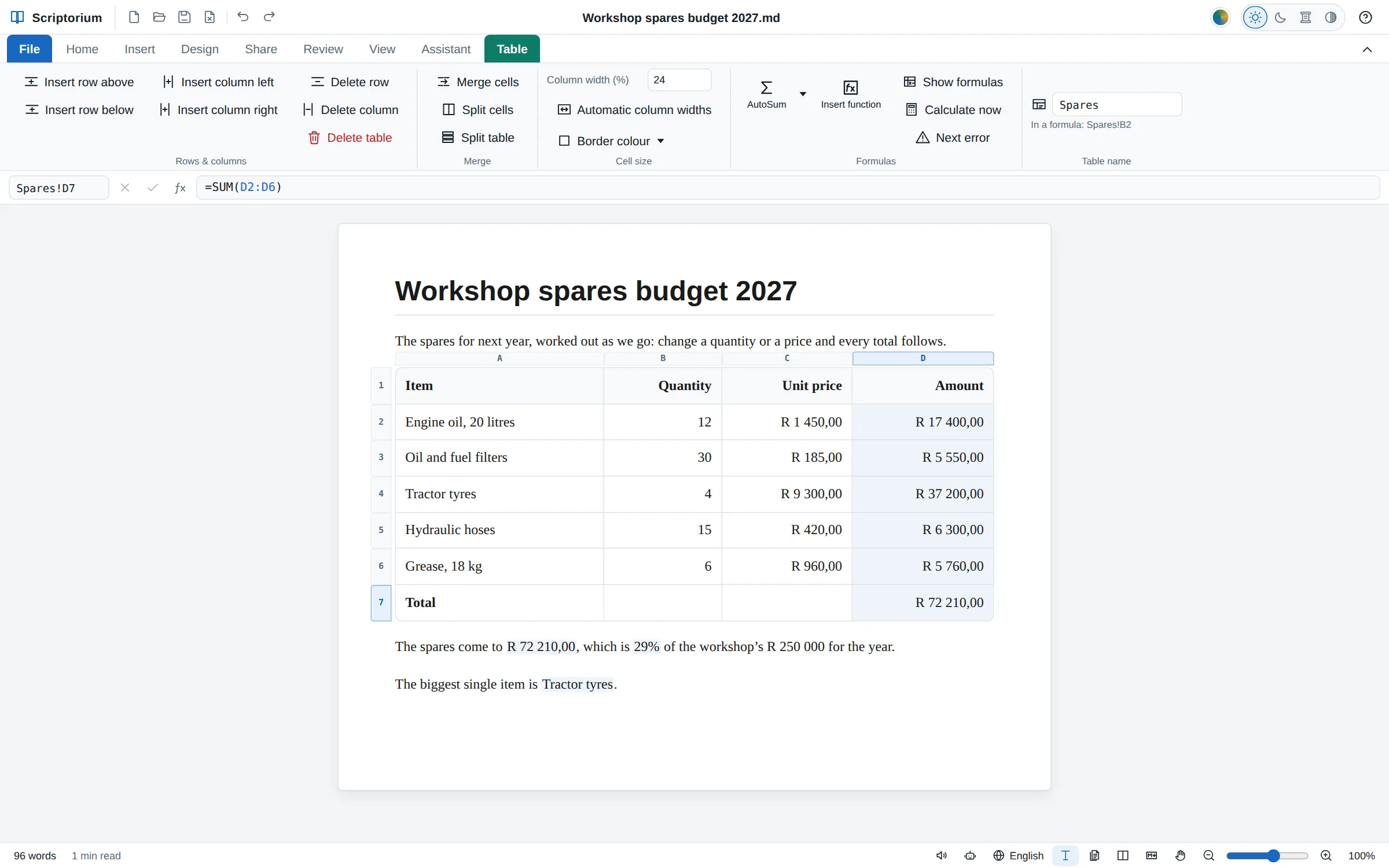
The plan sits in the document it belongs to, its summary and Gantt chart worked out from the tasks, and changes when they do.
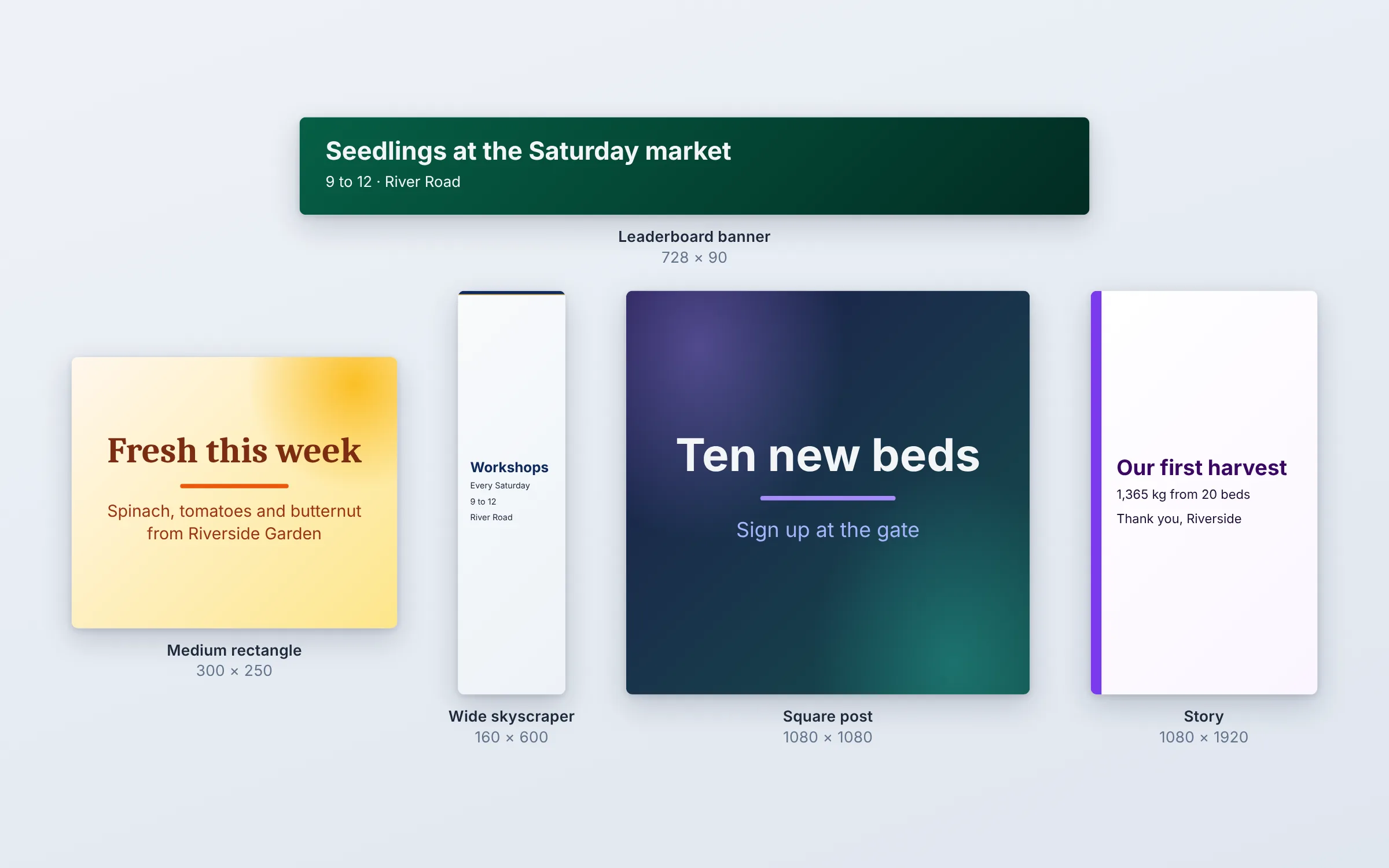
A leaderboard, a medium rectangle, a skyscraper, a square post or a story: the same slides at the size the advert needs, saved as an animated GIF.
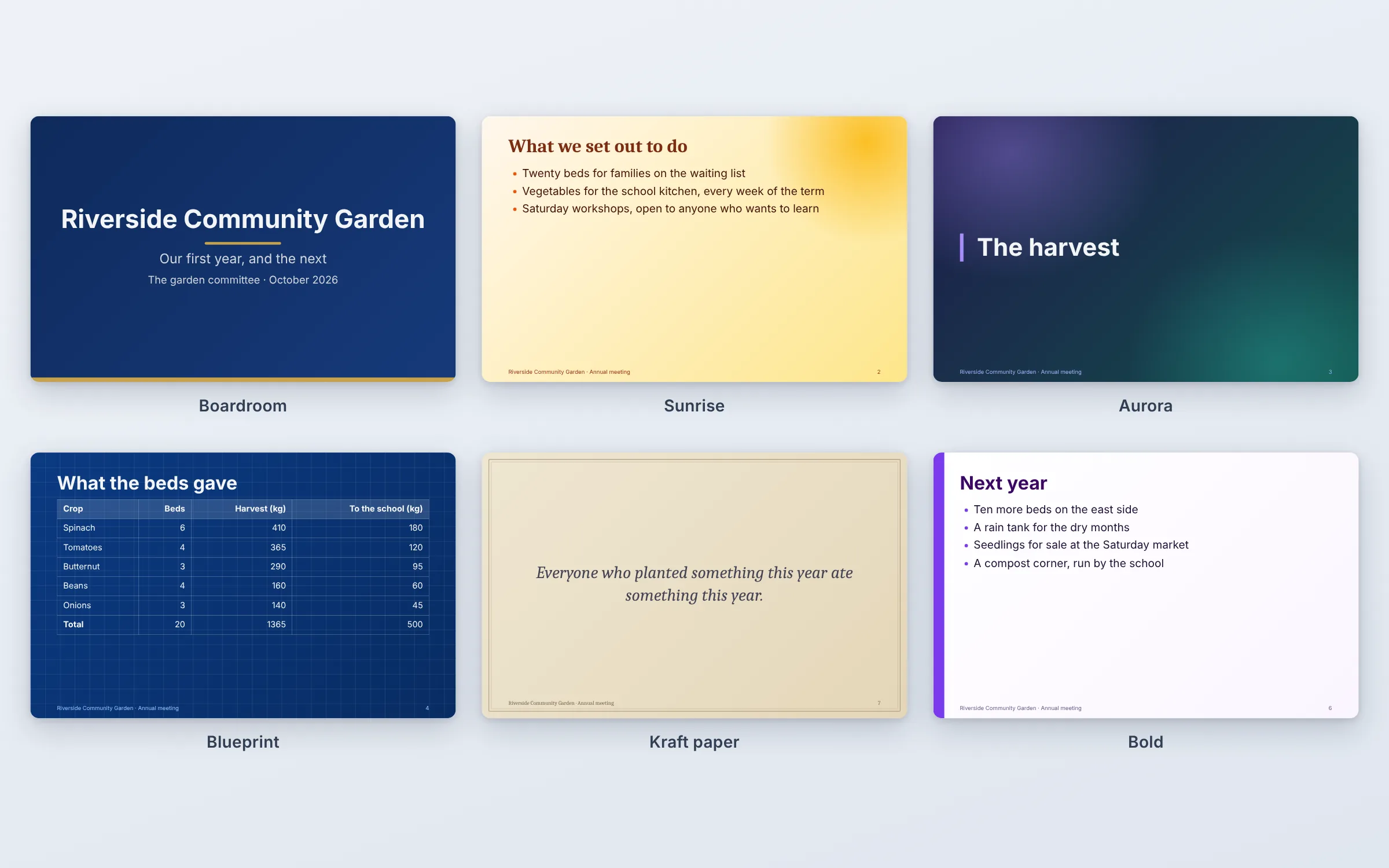
Boardroom, Minimal, Sunrise, Aurora, Blueprint, Slate, Kraft paper and Bold join the eight looks of 3.51, each with a band, a frame, a glow or a grid of its own.
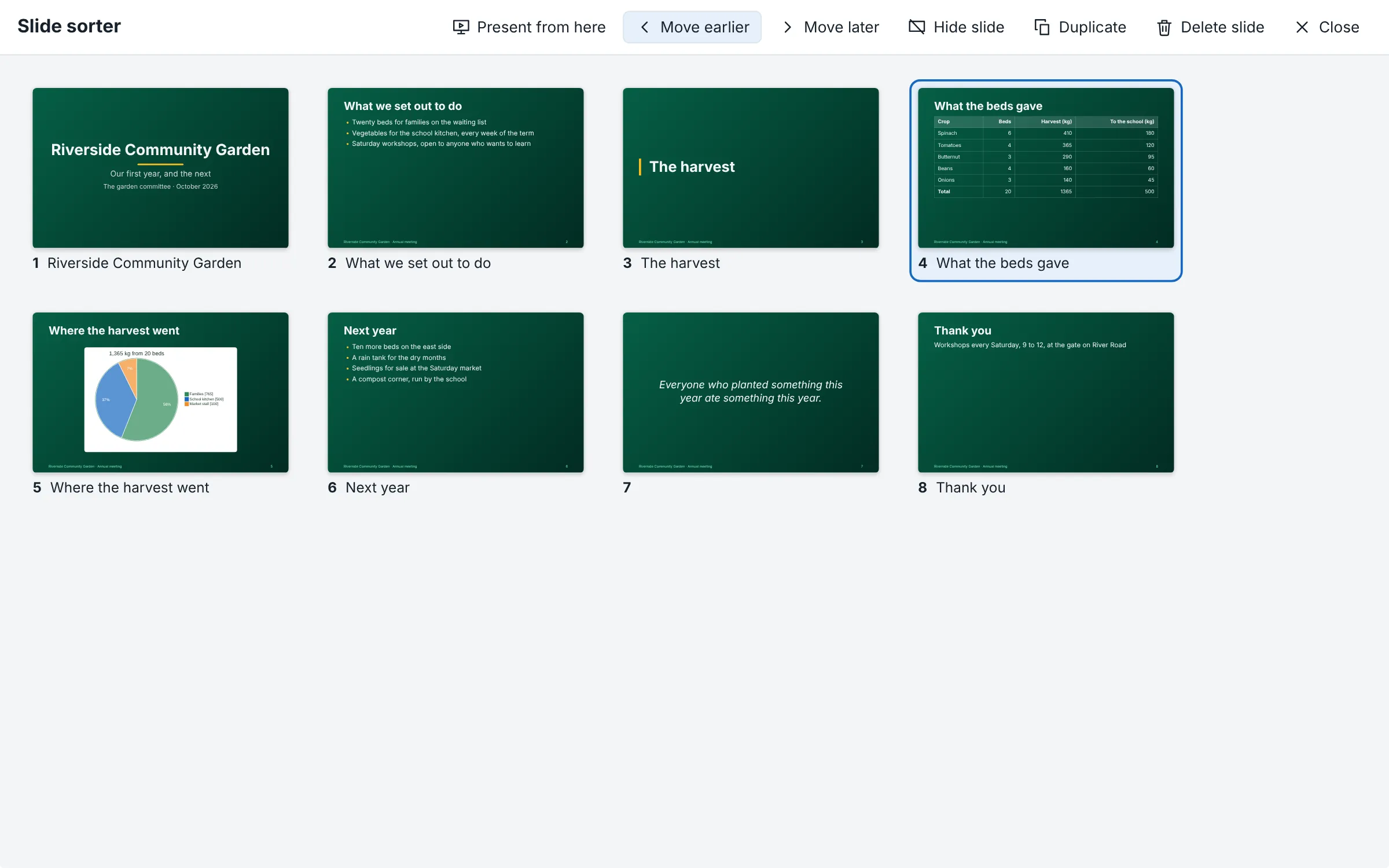
Every slide at once: drag them into order, duplicate one, hide one for this audience, or start the show from any of them.
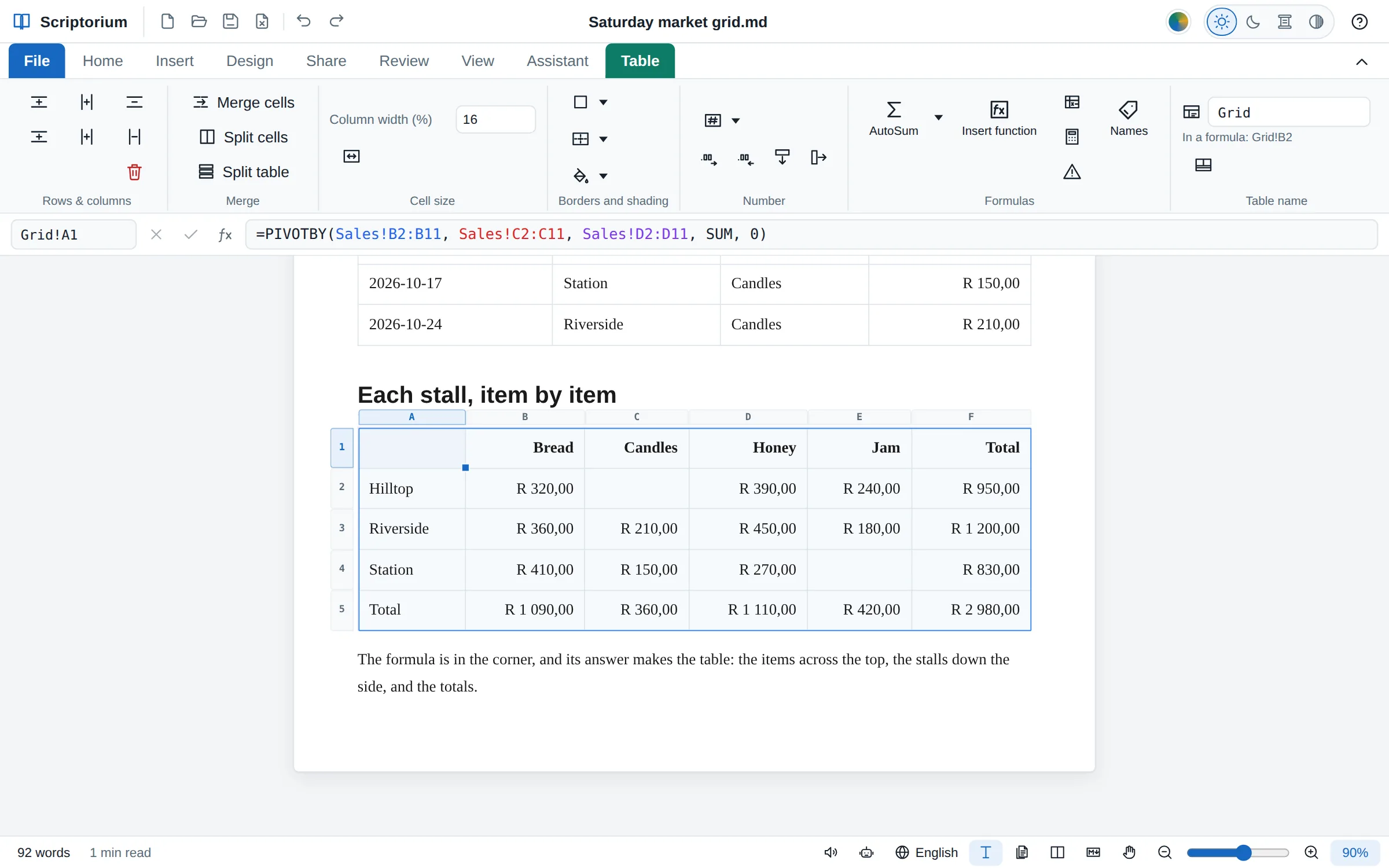
PIVOTBY adds a list up by two things at once, the stalls down and the items across, with totals; empty pairs stay empty.
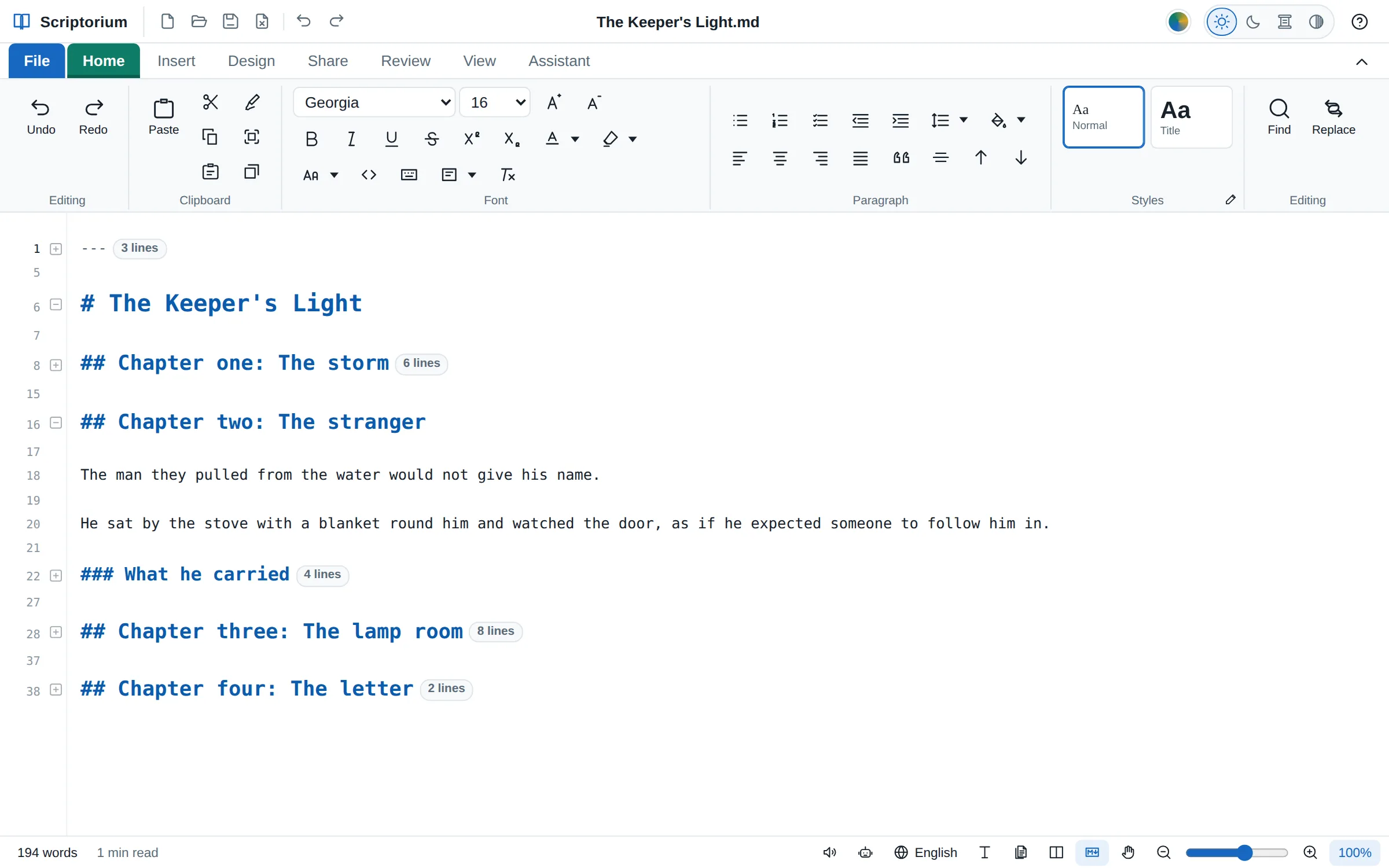
The Markdown has its lines numbered, and a minus beside a heading, a table or a list folds it to one line. Collapse all turns it into an outline.
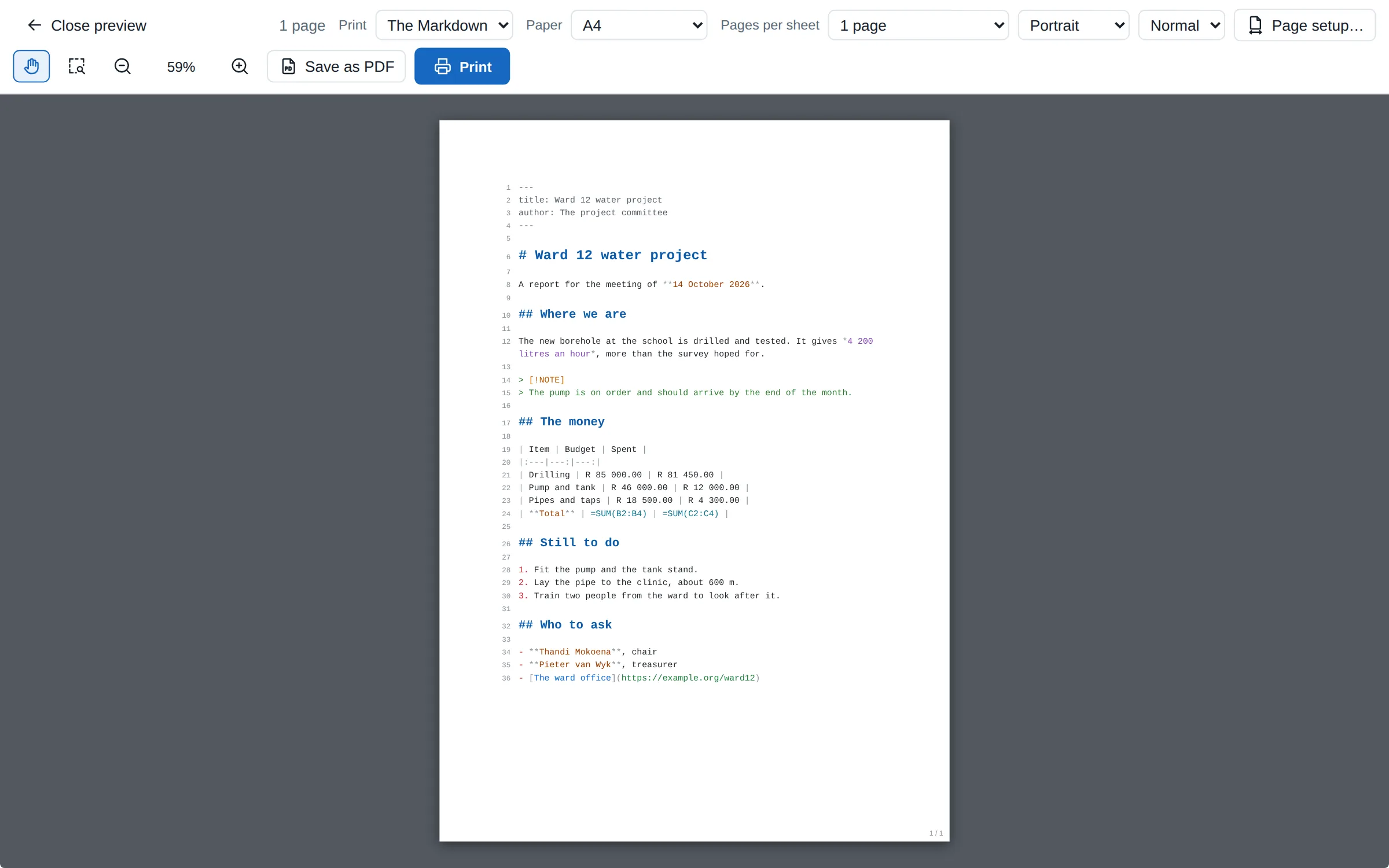
From the Markdown view, Print and Save as PDF give the Markdown line by line, in its colours and with its line numbers, on the paper you chose.
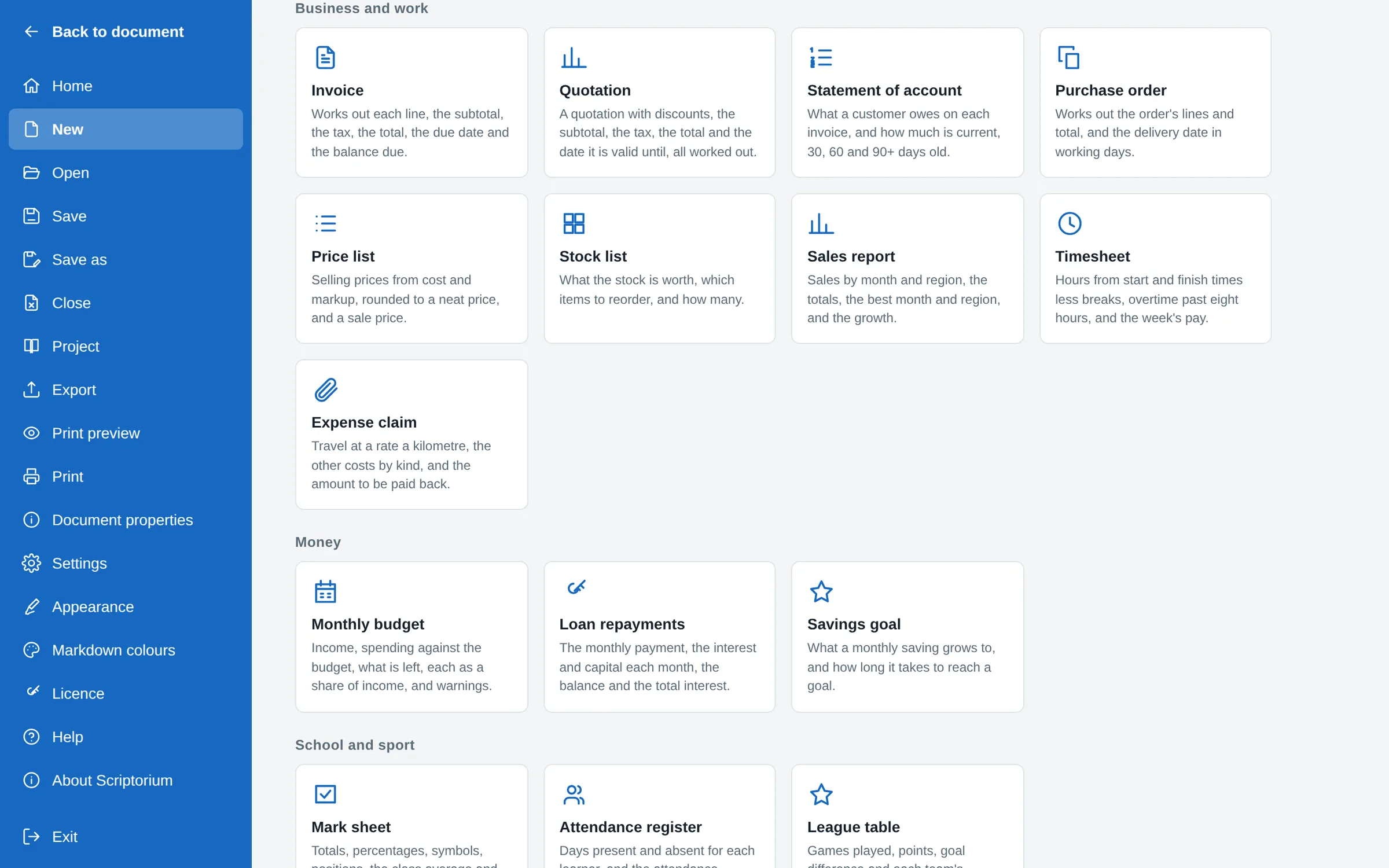
An invoice, a quotation and sixteen more that work out their own totals, VAT and dates, ready to type over.
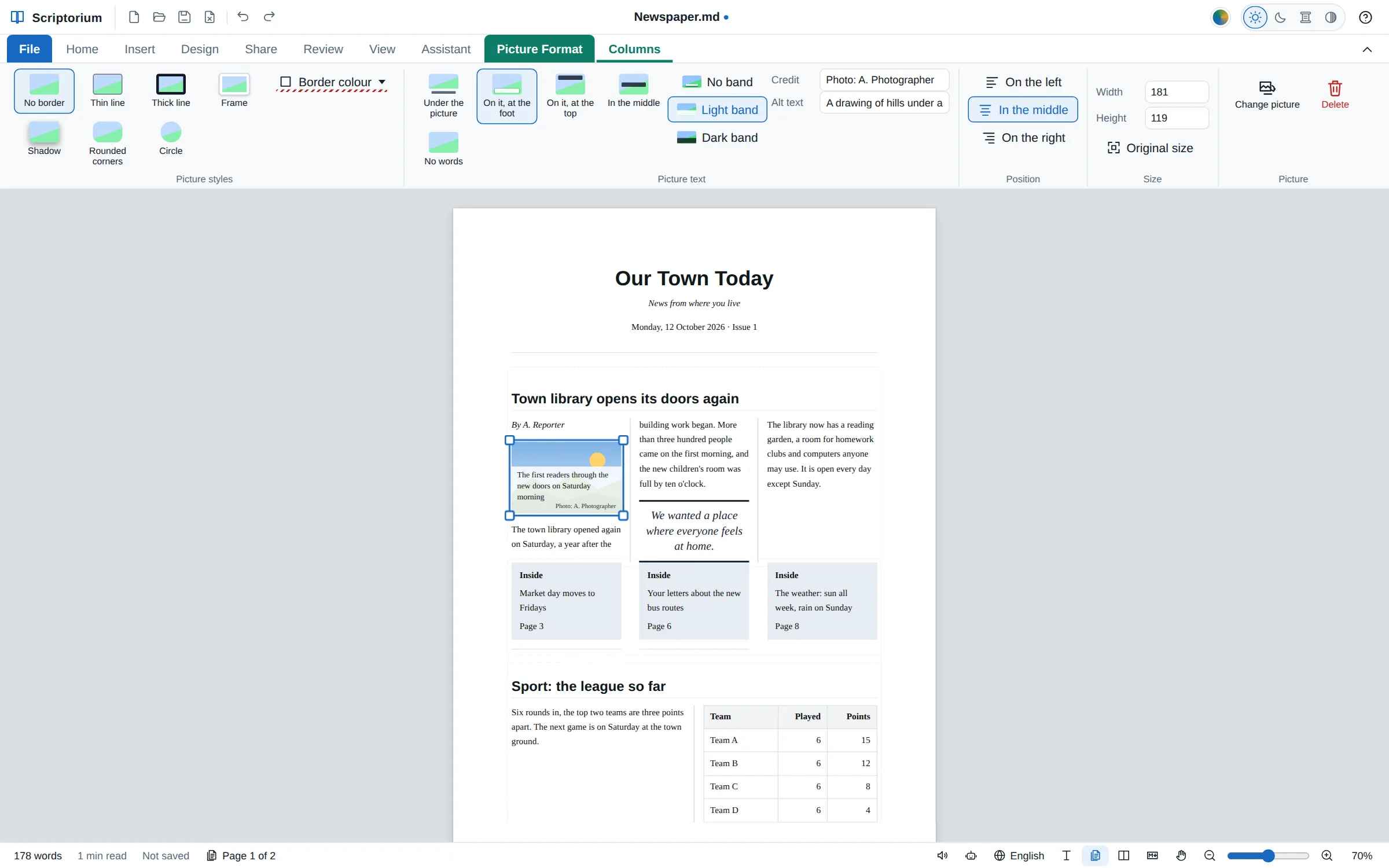
Columns under a headline across them, pull quotes, teaser boxes, words on the pictures, and a Newspaper template.
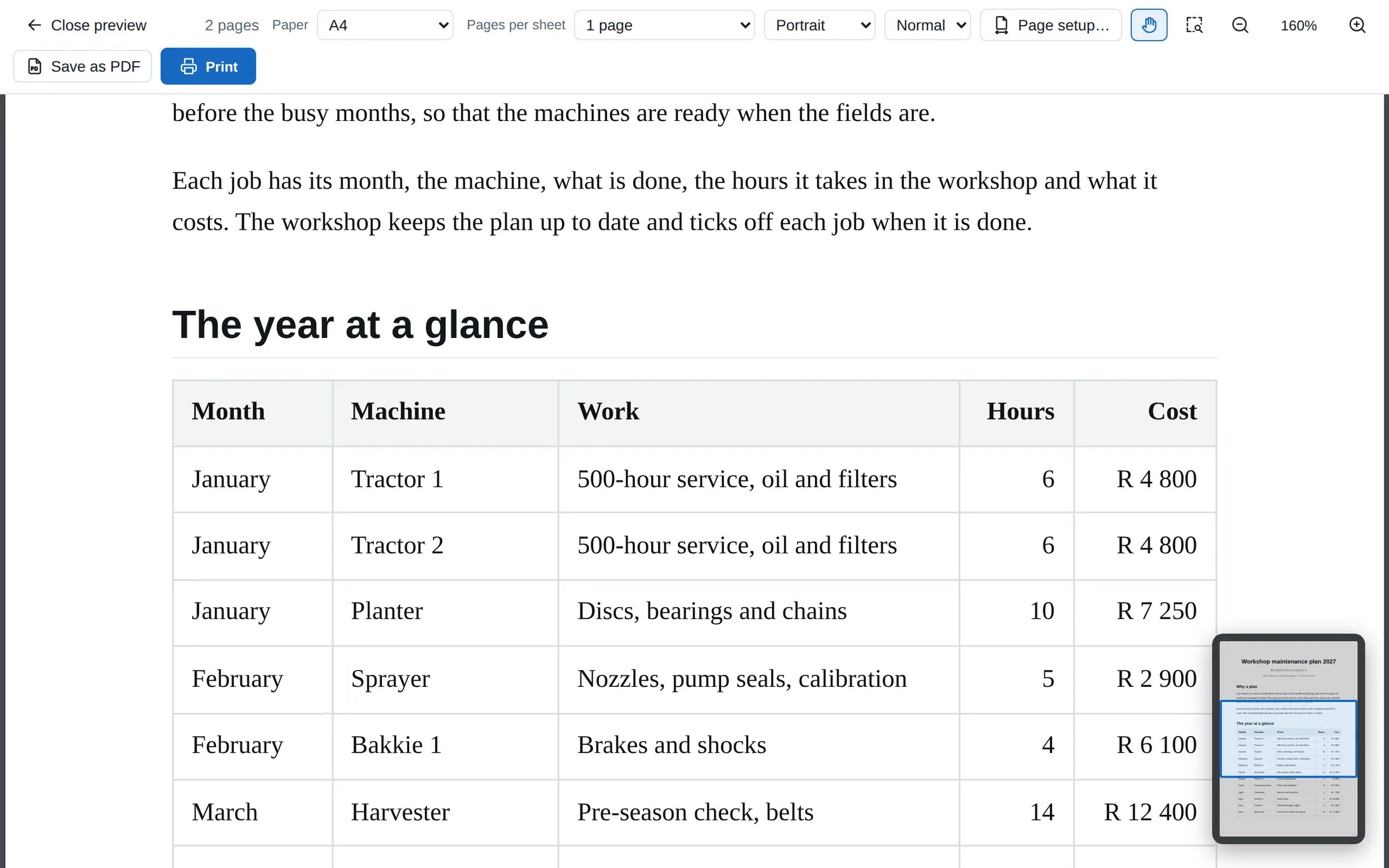
Ctrl and the wheel zoom about the pointer, the wheel button slides the page, and the print preview has a hand and a Navigator.
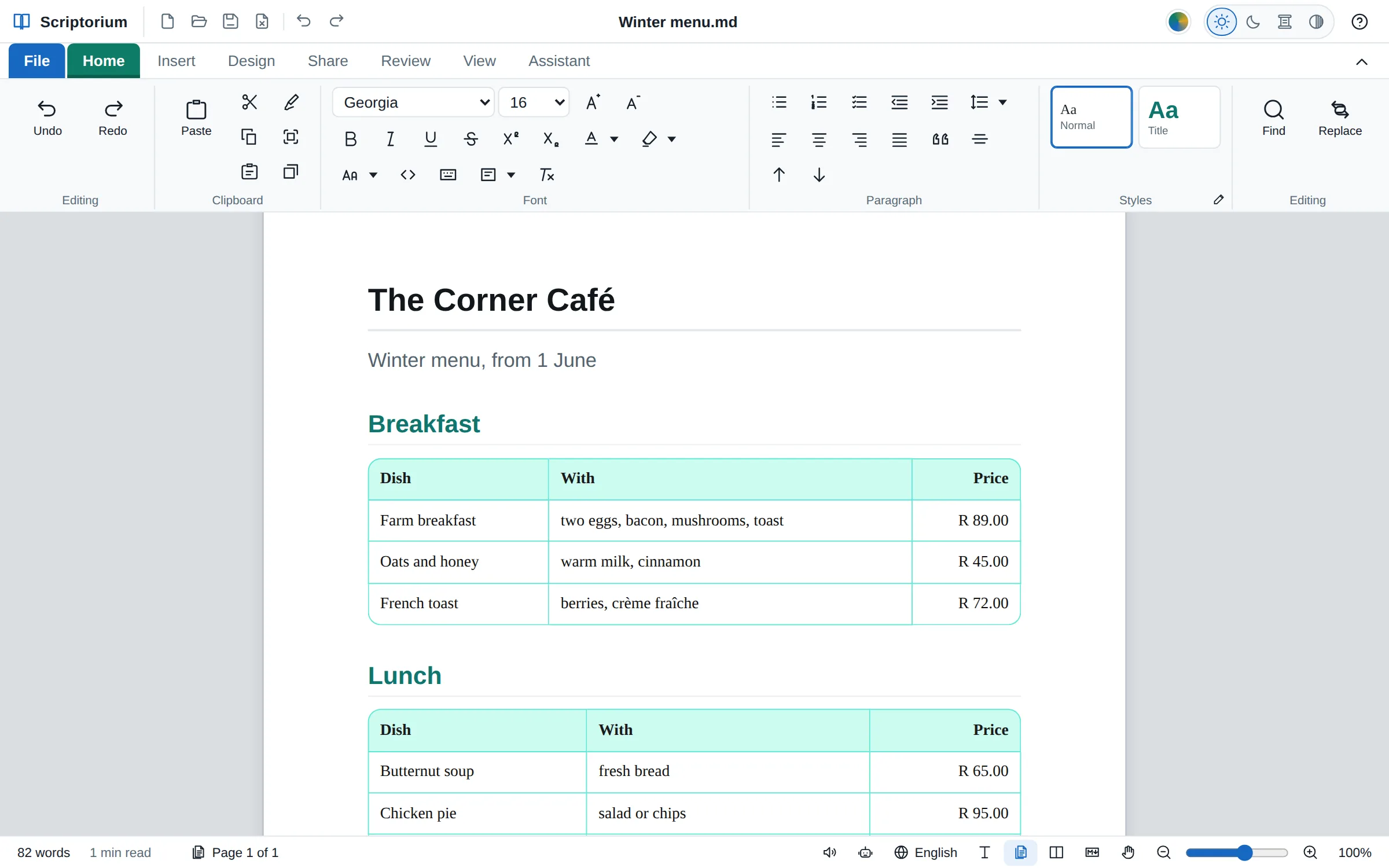
Every table with rounded or cut-off corners, small to large, from File ▸ Appearance: on the page, on paper and in PDFs.
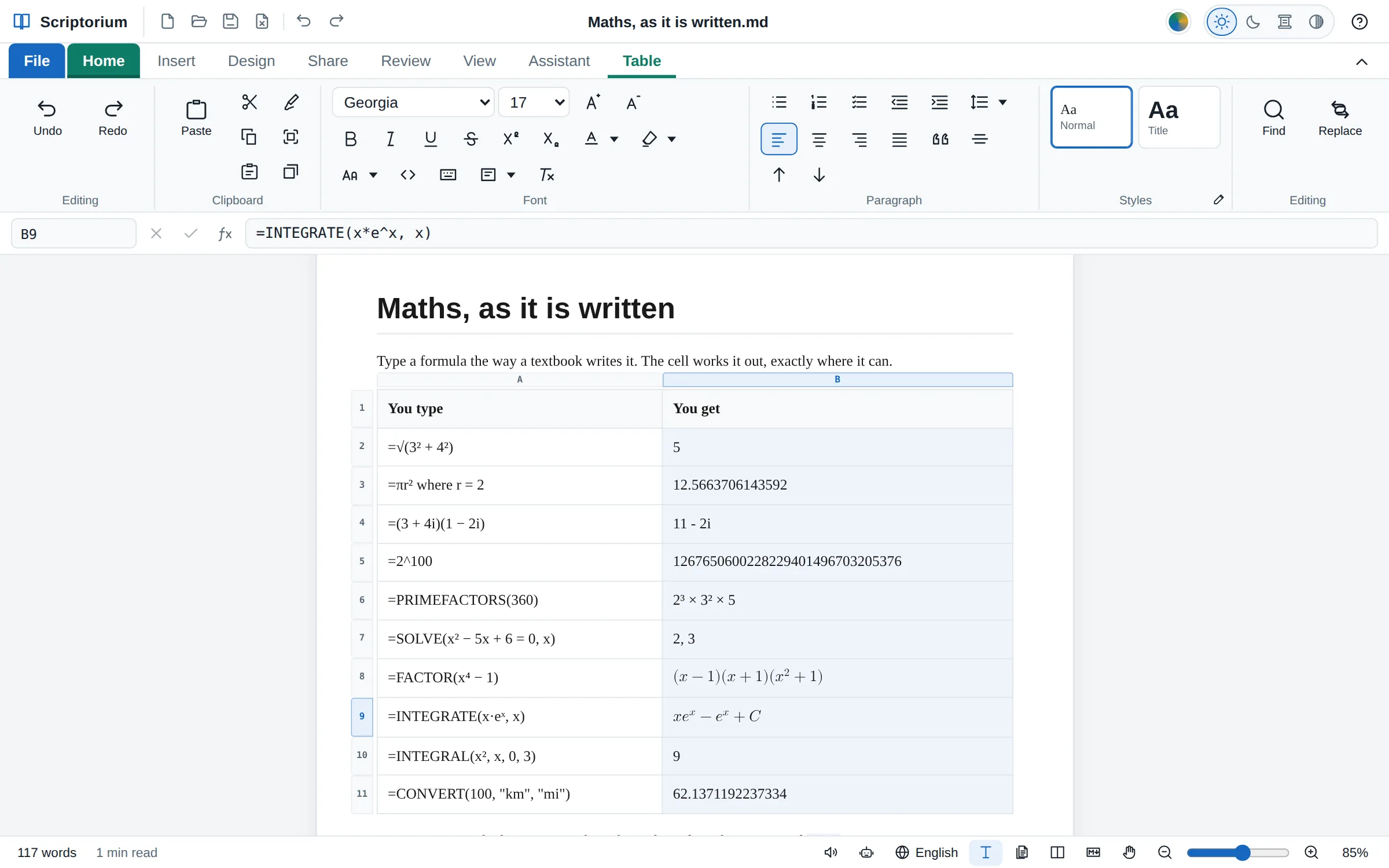
=√(3² + 4²) is 5 and =πr² where r = 2 works itself out; complex numbers, exact fractions, SOLVE and INTEGRAL too.
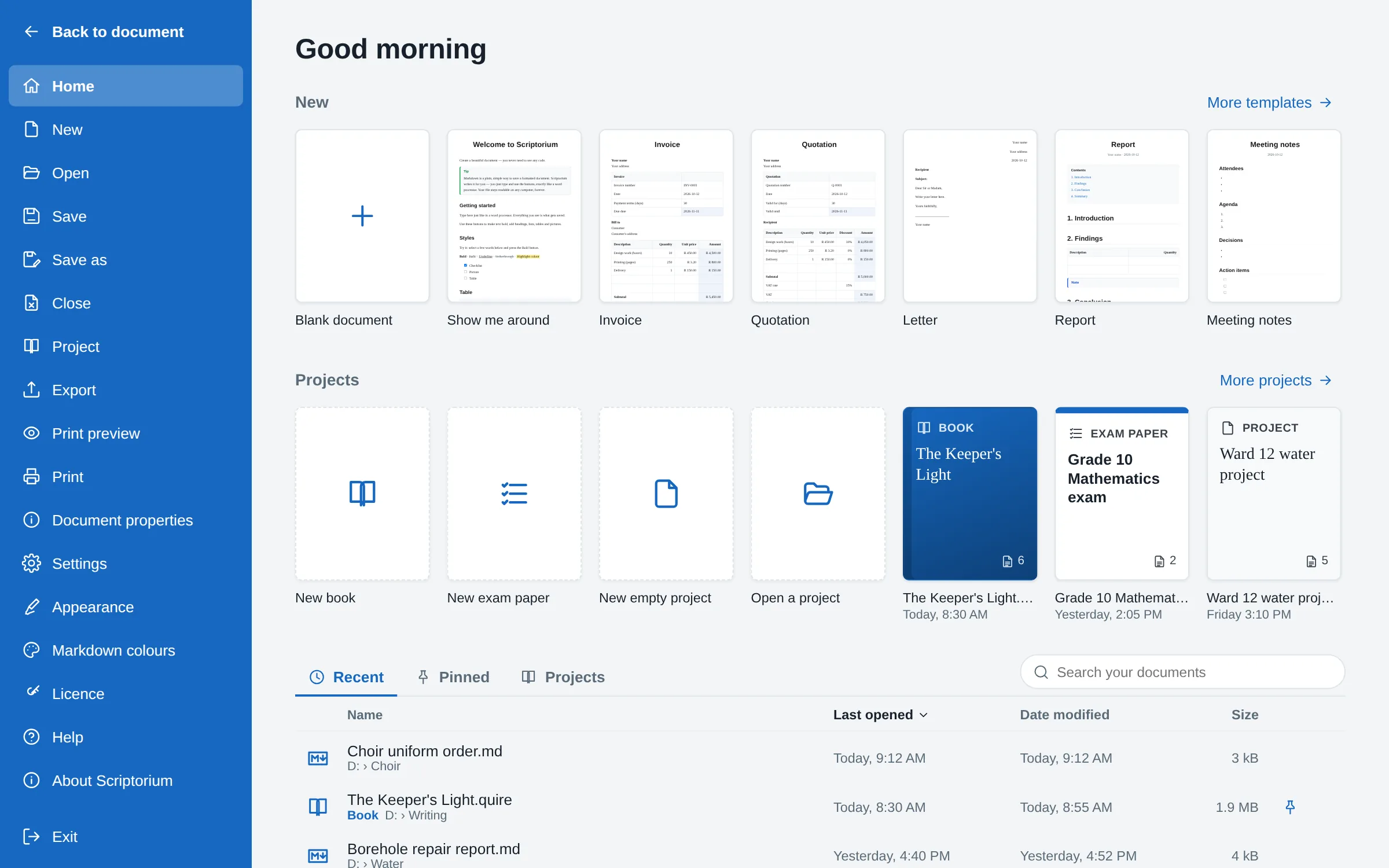
Templates drawn as small pages, books and exam papers as covers, and the documents you opened lately, as Word has.
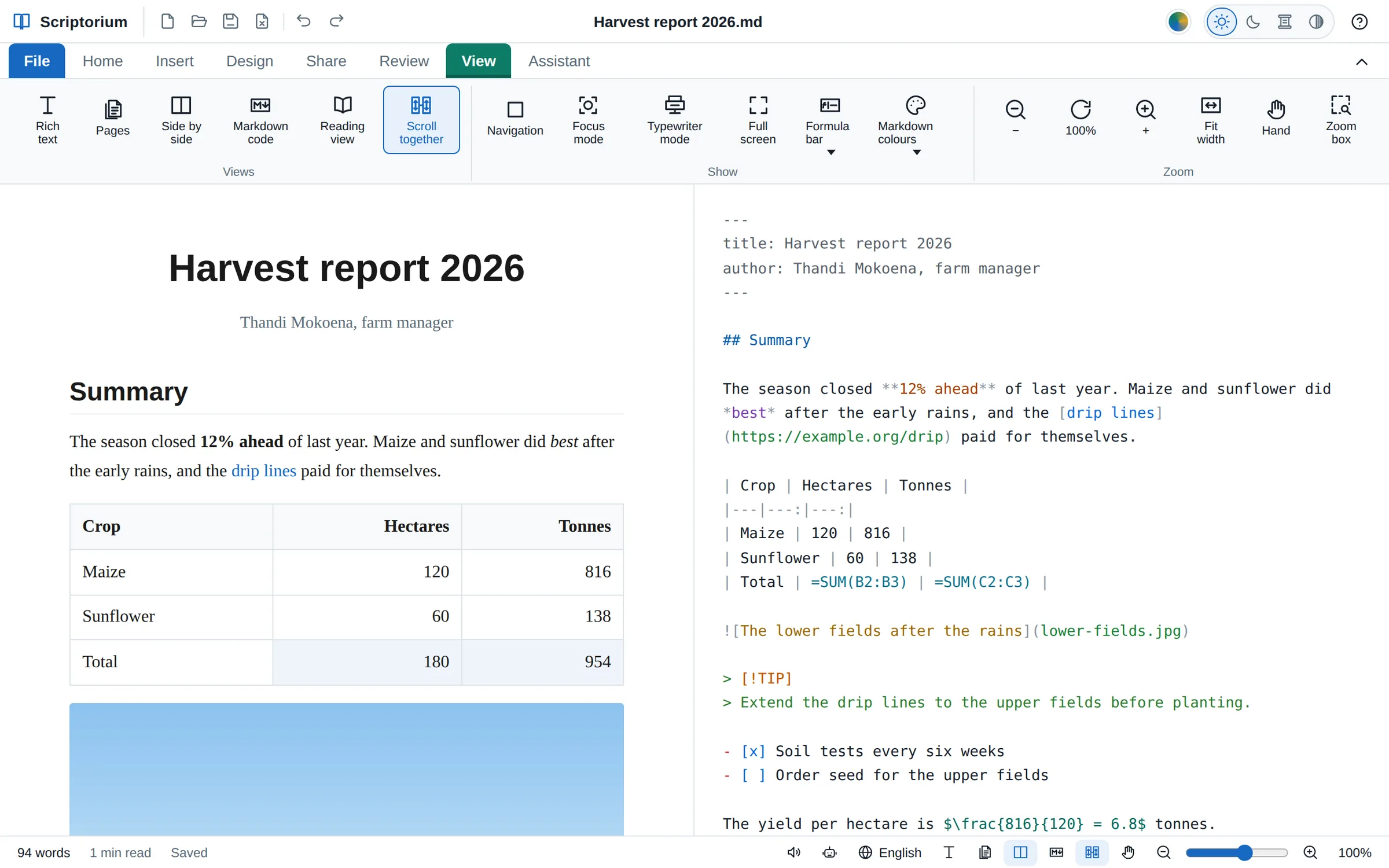
Headings, links, code, tables and formulas each in a colour of their own in the Markdown view: four sets, or colours of your own.
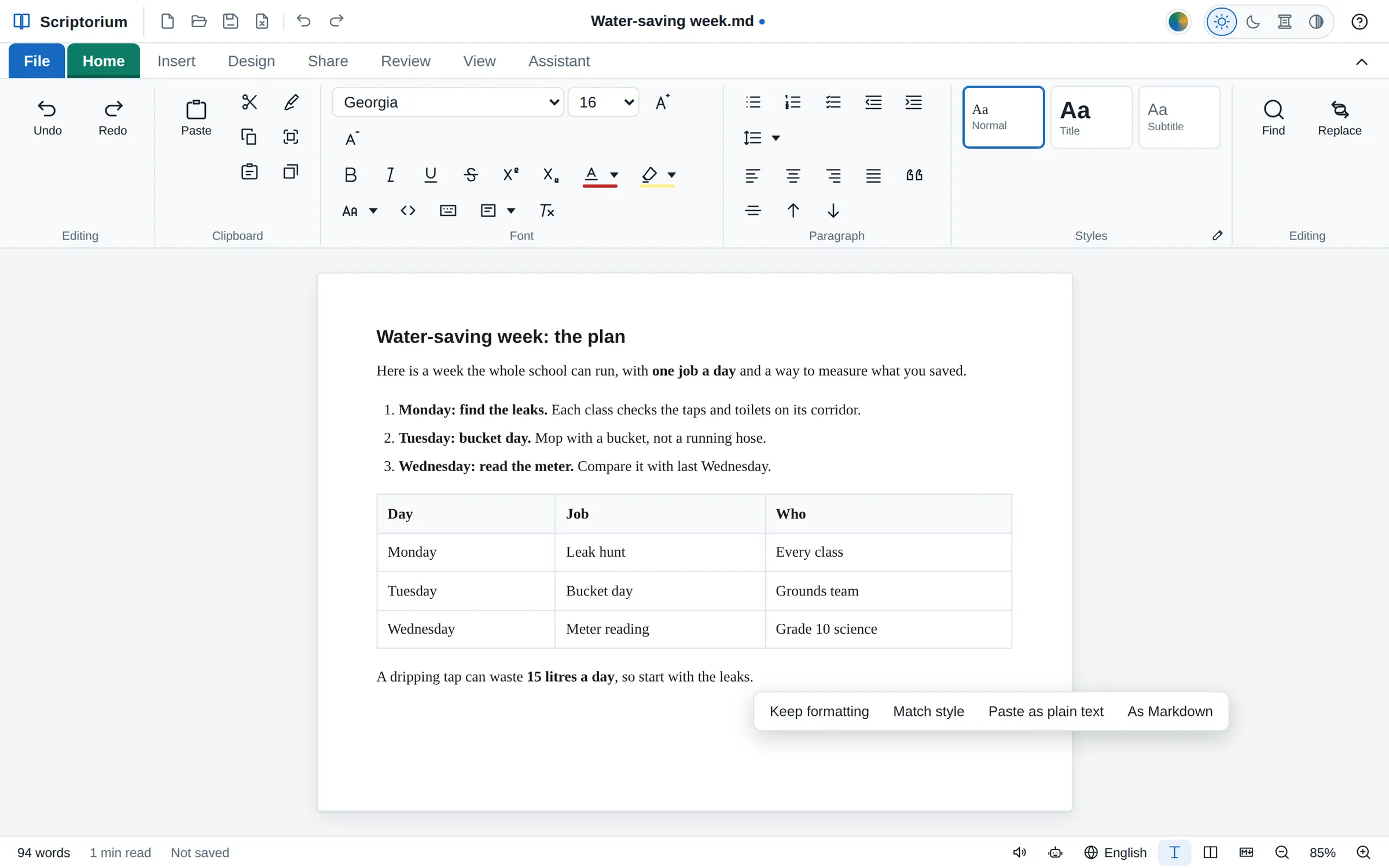
The chat’s colours, Copy buttons and citation marks stay behind; the code, the lists and the formulas come through.
Ask ChatGPT, Claude, Gemini or Copilot for a report, a lesson plan or a chapter, and the answer comes back in Markdown, full of #, ** and | signs. Paste it into most programs and the signs are what you get. Paste it into Scriptorium, or open the .md file the AI made, and you get the document: headings, lists, tables and code, laid out and ready to change, print or send.
Type, and press buttons for bold, headings, lists and tables, the way you would in Word. Scriptorium writes the Markdown for you in the background, so your work is saved as plain text that any computer, phone or tablet can open, today and in fifty years.
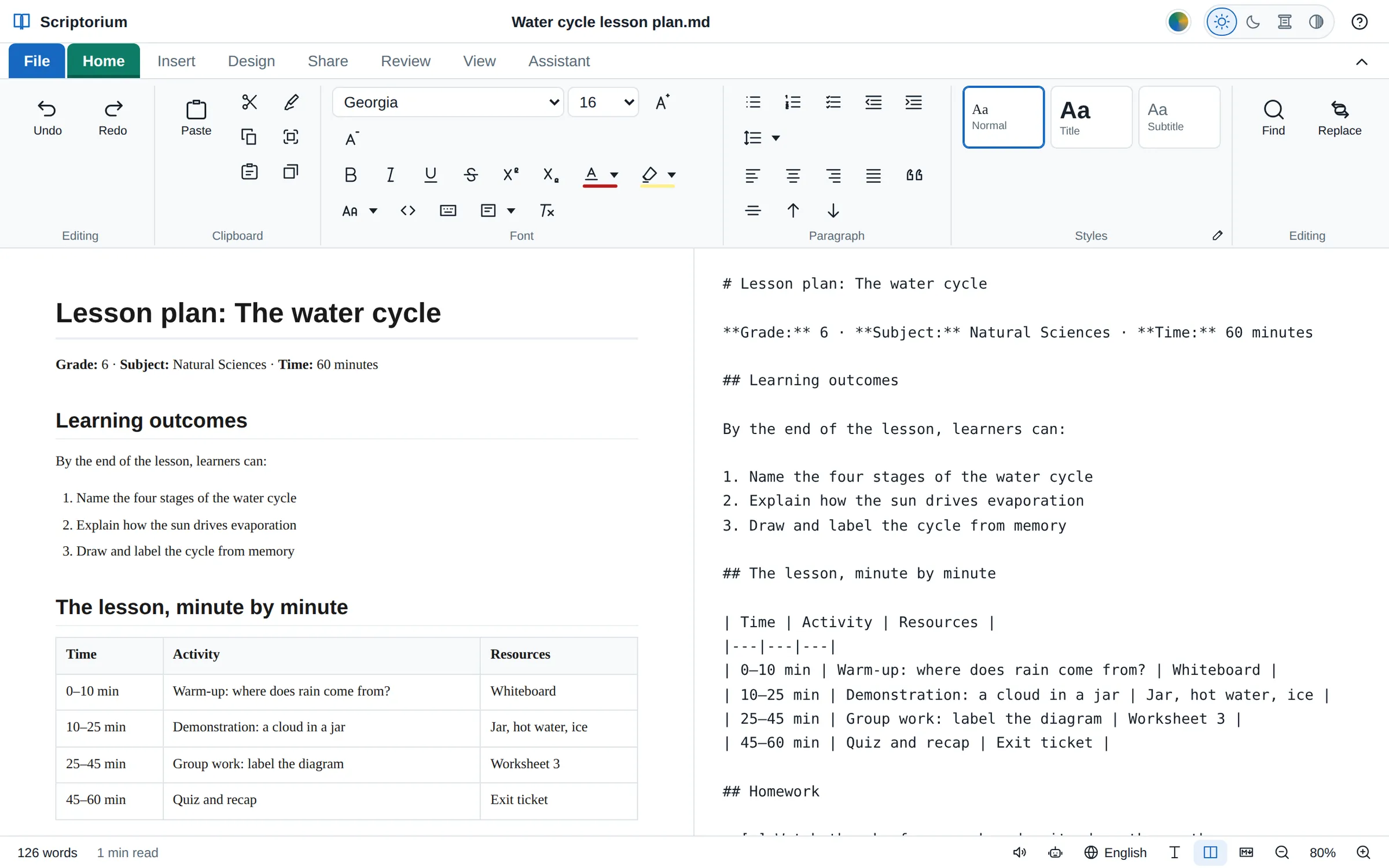
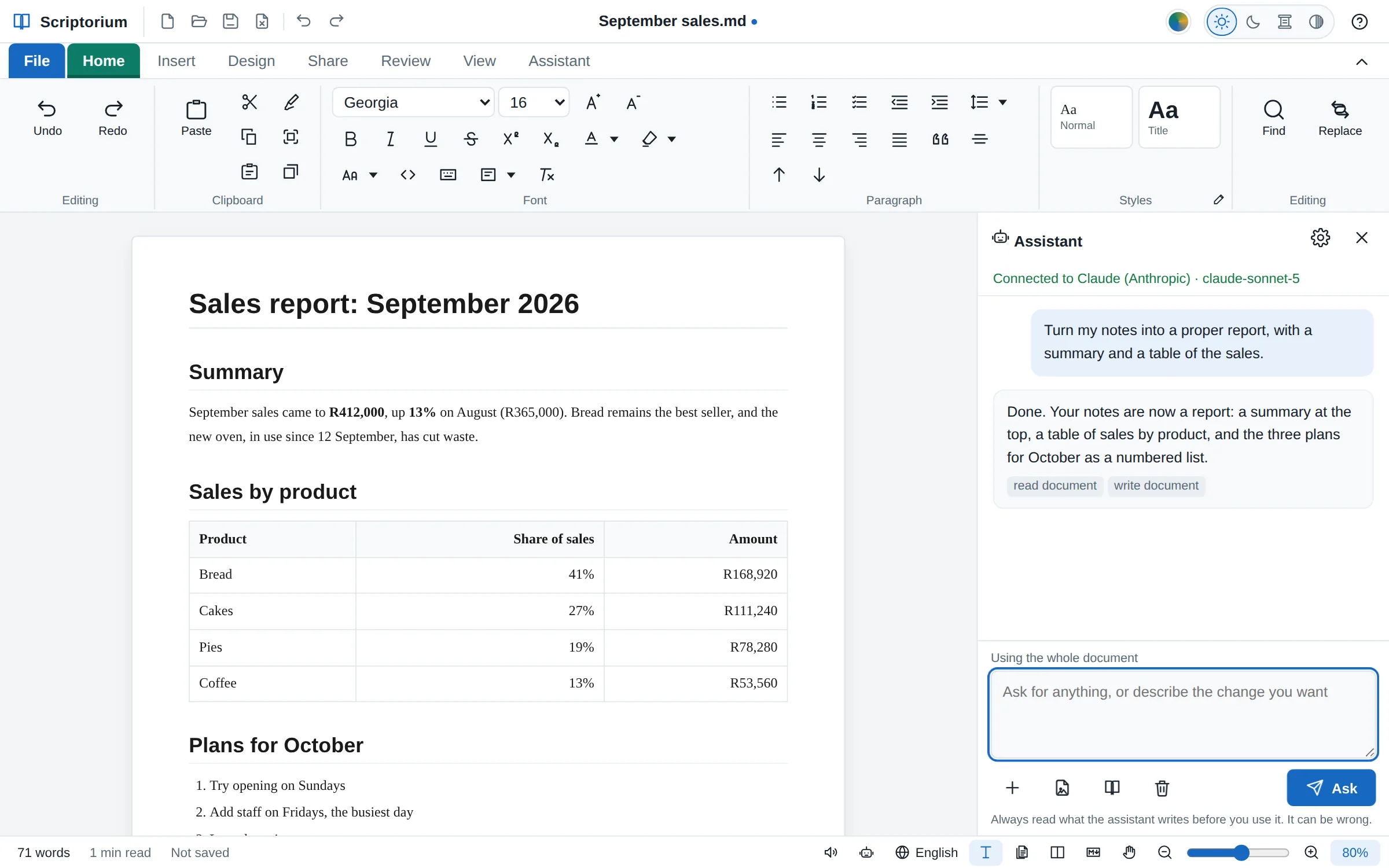
Connect the AI you already use and ask in plain words: turn these notes into a report, write a letter to the landlord, translate it into Afrikaans, add a summary at the top. The assistant does not hand back text for you to paste. It works on the document itself, so the headings, tables and lists are laid out by the time it answers.
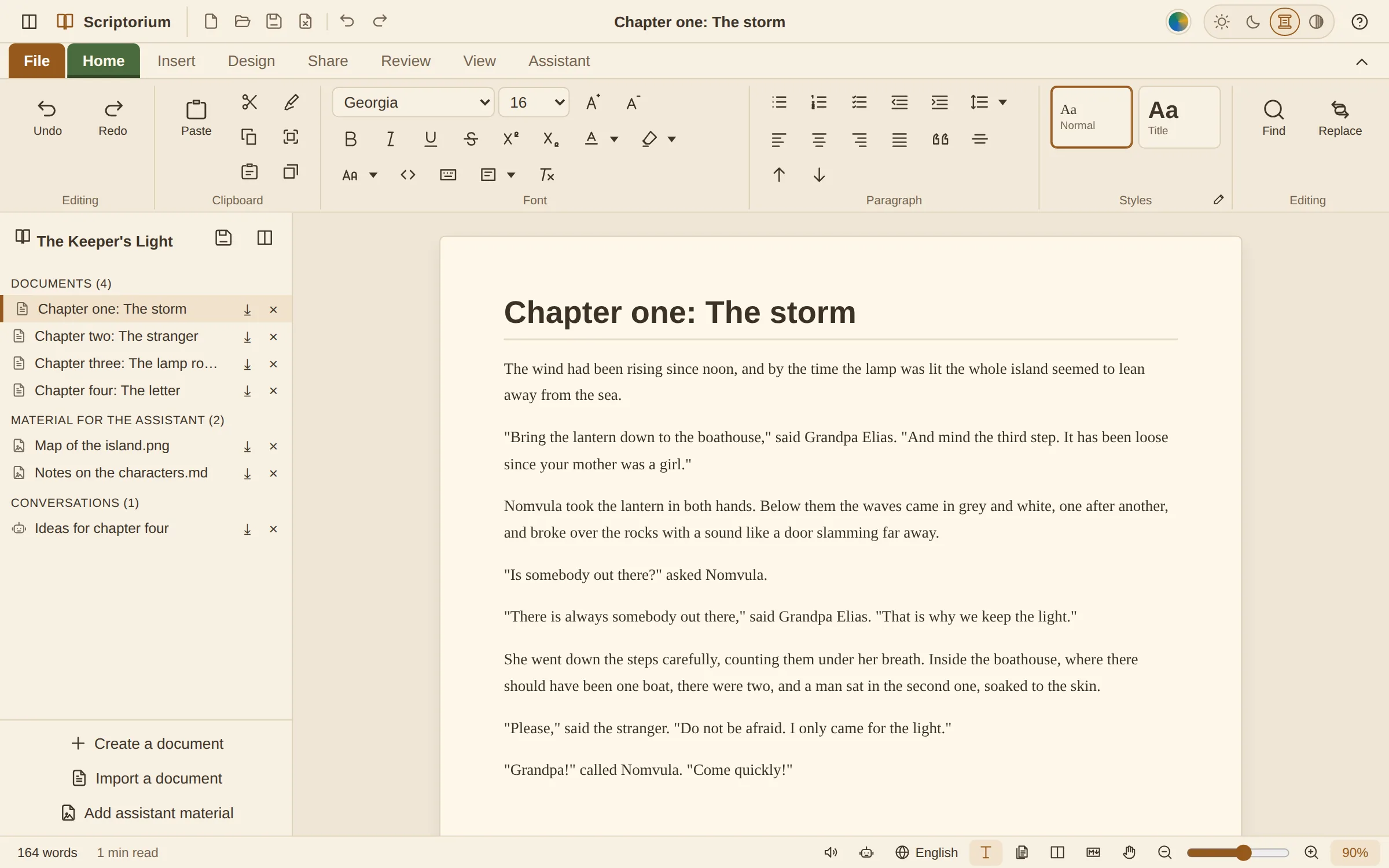
Start a new book and Scriptorium makes it a project: chapter one is ready to write in, and every chapter after it, your notes and pictures, and your conversations with the assistant stay together in one file. Jump between chapters, keep an eye on the word count, and save the finished book as an EPUB e-book, a PDF or a Word file for the publisher.
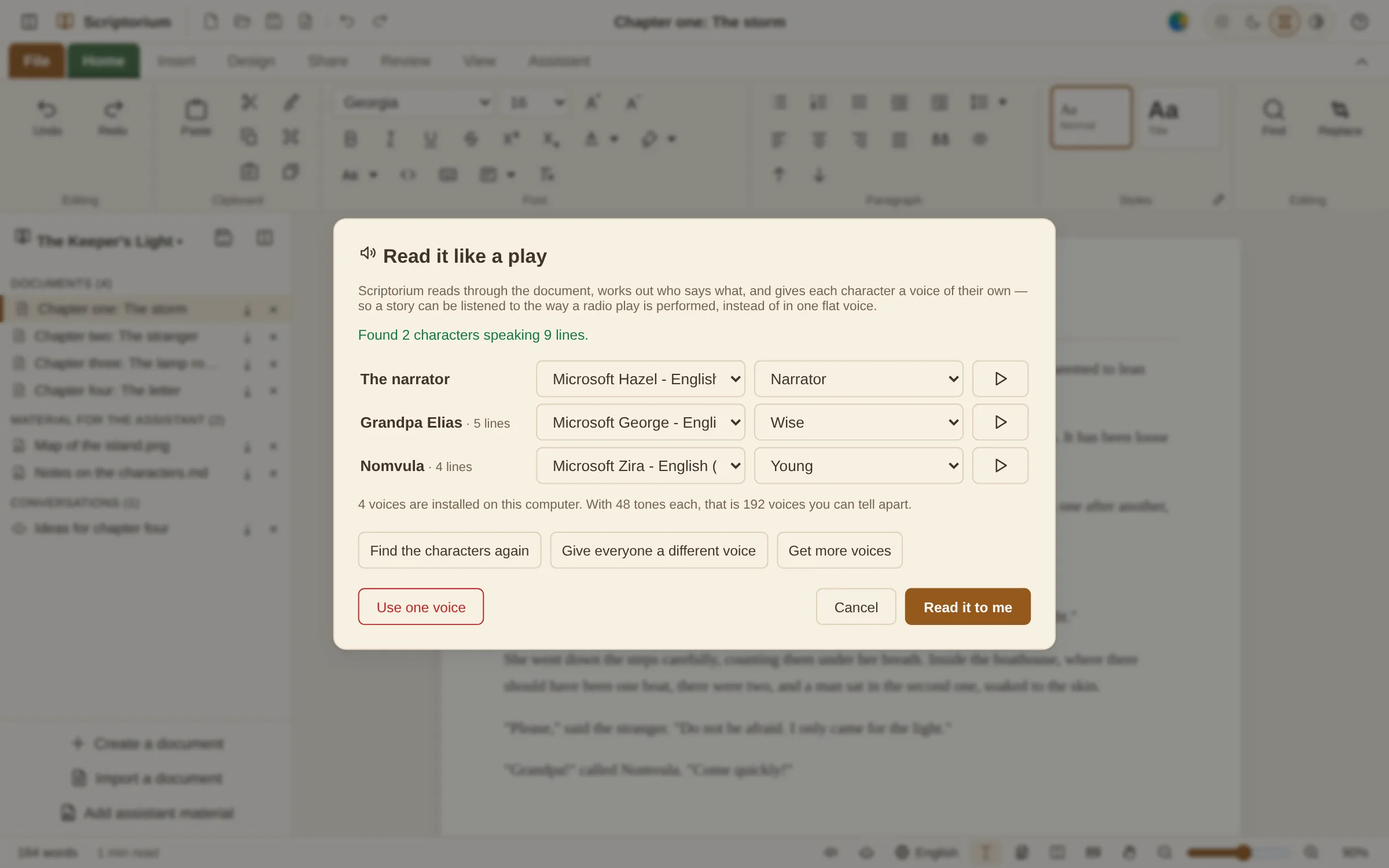
Scriptorium reads any document aloud, sentence by sentence, highlighting as it goes. For a story, press Cast: it works out who is speaking and gives every character a voice and a manner of their own, so a novel is performed rather than recited. Put rain on the roof, a fireside or the sea underneath it, and listen.
When one document stops being enough, a project keeps everything that belongs together in a single .quire file: as many documents as you need, the material you are working from, and your conversations with the assistant. Any piece can still be saved on its own as a .md file, a PDF or a Word file. Your projects wait on the Home page, as covers to click.
Chapter one ready to write in, room for every chapter after it, and your research and notes beside them.
The question paper and its memo side by side, so the answers always travel with the questions.
A report with its background reading, a course with its handouts, a manual in parts: start empty and add what you need.
Projects open in the free reader too, so a project you send can be read by anybody with Scriptorium, licence or not.
Styles, tables, pictures, spelling, find and replace, printing: it is all there, on a ribbon that works the way you think it does. Then Scriptorium goes further, for the work people actually do.
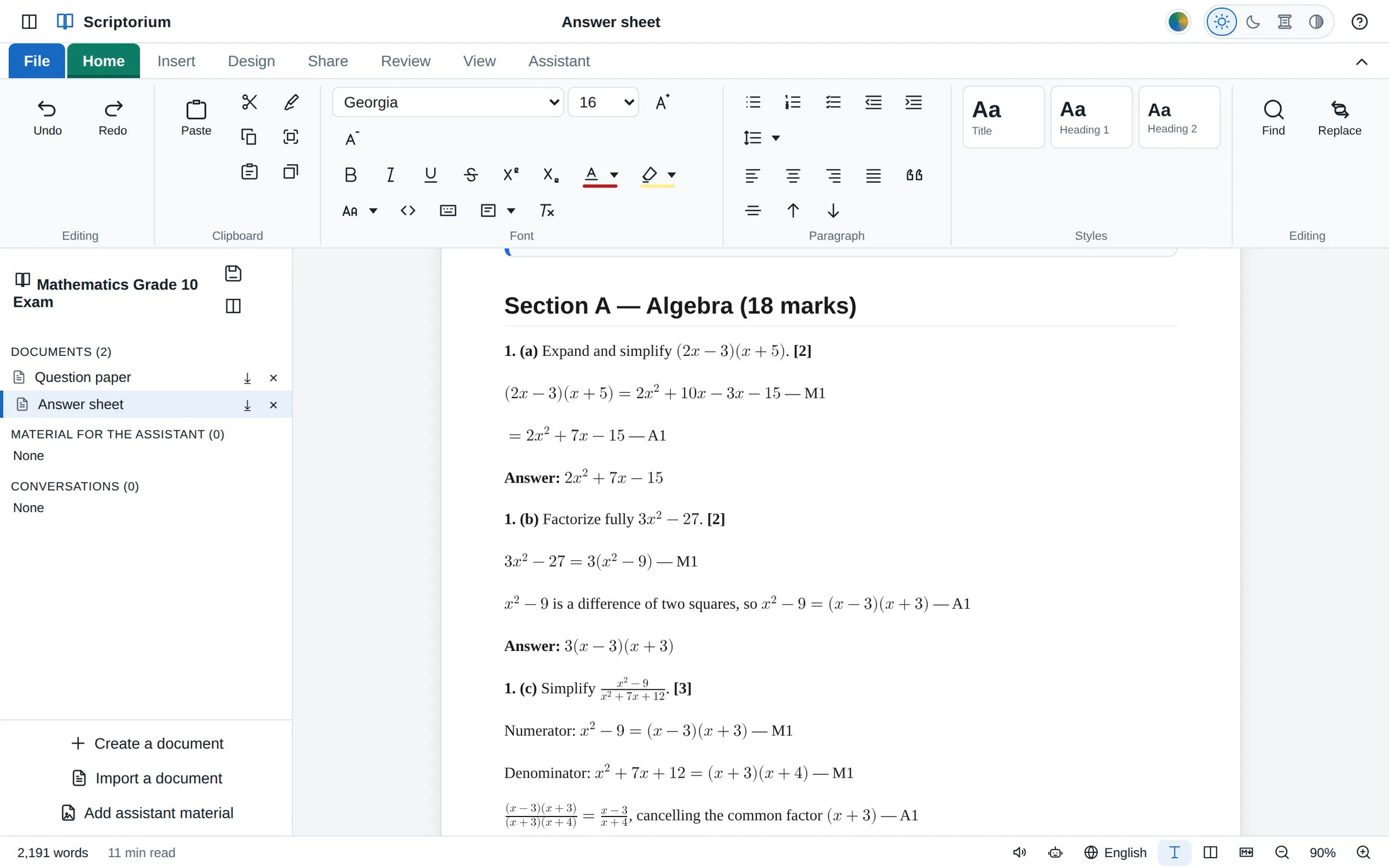
Start a new exam paper and Scriptorium makes a project with two parts: the question paper and its answer sheet. They live side by side in one file, so the memo is always one click from the paper, and the two travel together.
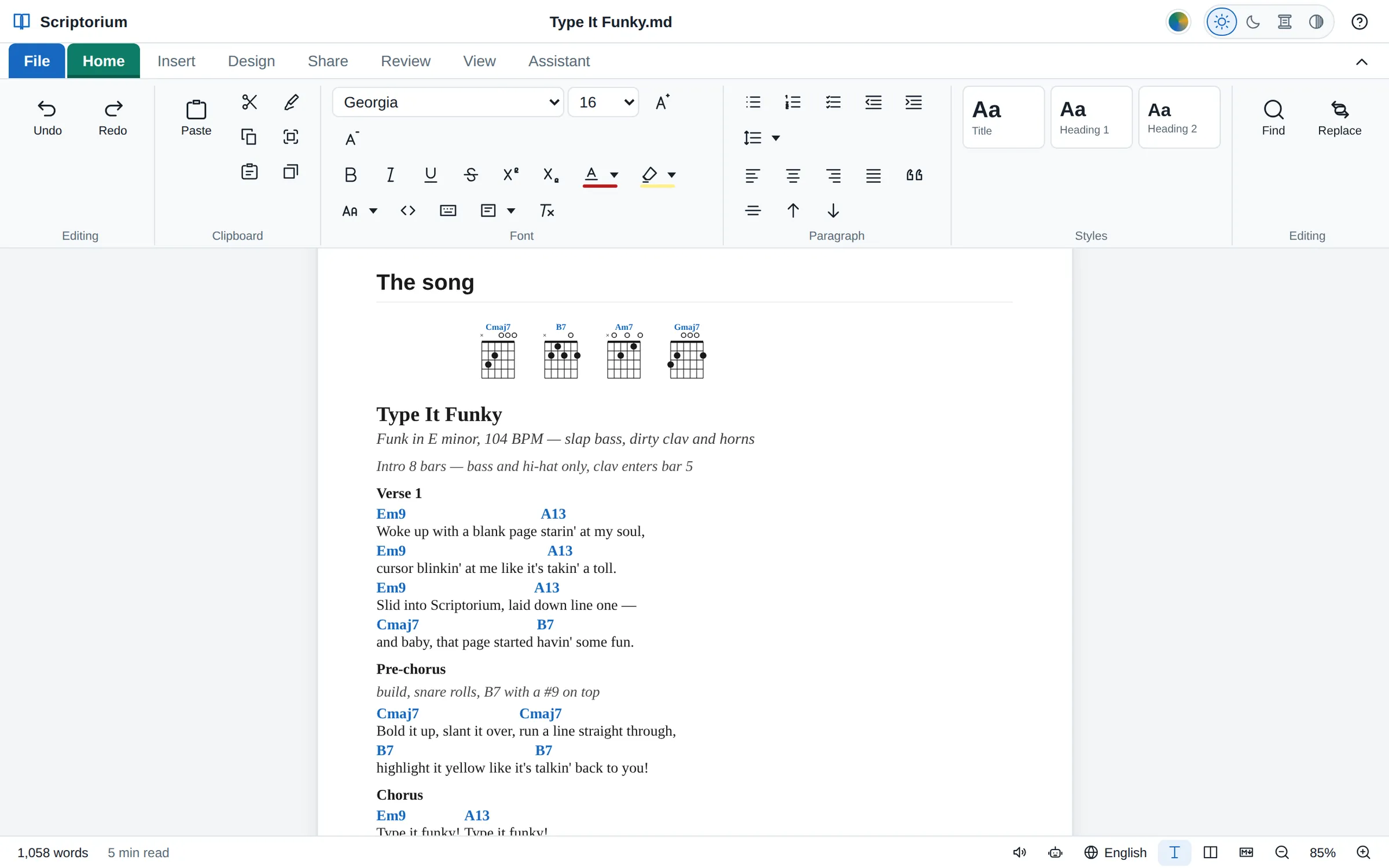
Type the words with the chords in square brackets. Scriptorium sets each chord over the right word, draws the chord boxes, and keeps every verse, chorus and bridge in its place. Write a tune in ABC notation and it becomes sheet music that you can play, and hear sung.
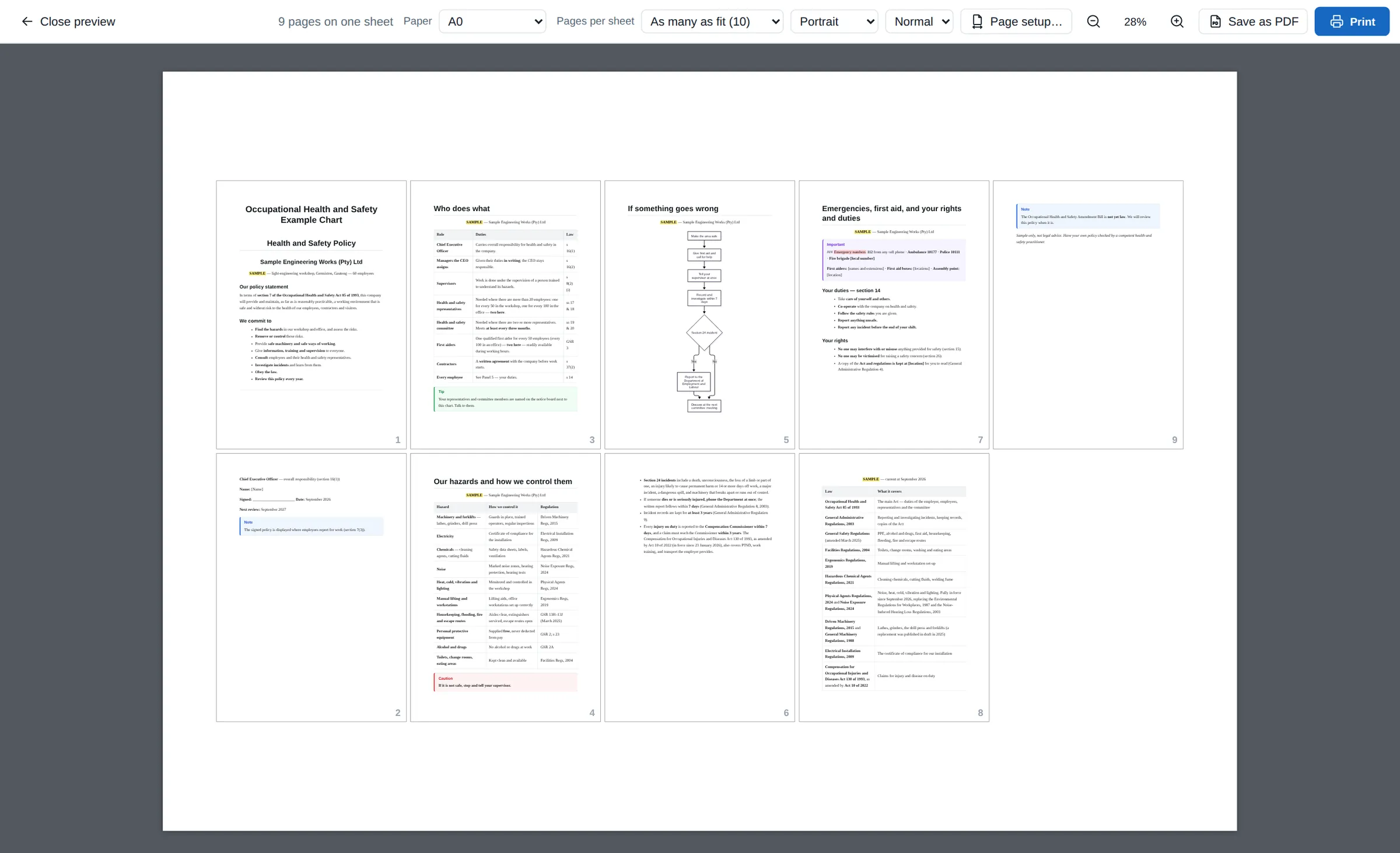
Write a policy, a procedure or a timetable as ordinary pages. When it has to go up on the wall, print all of it on one big sheet: A0, A1, A2, or a size of your own. Here the nine pages of a health and safety file become one A0 poster.
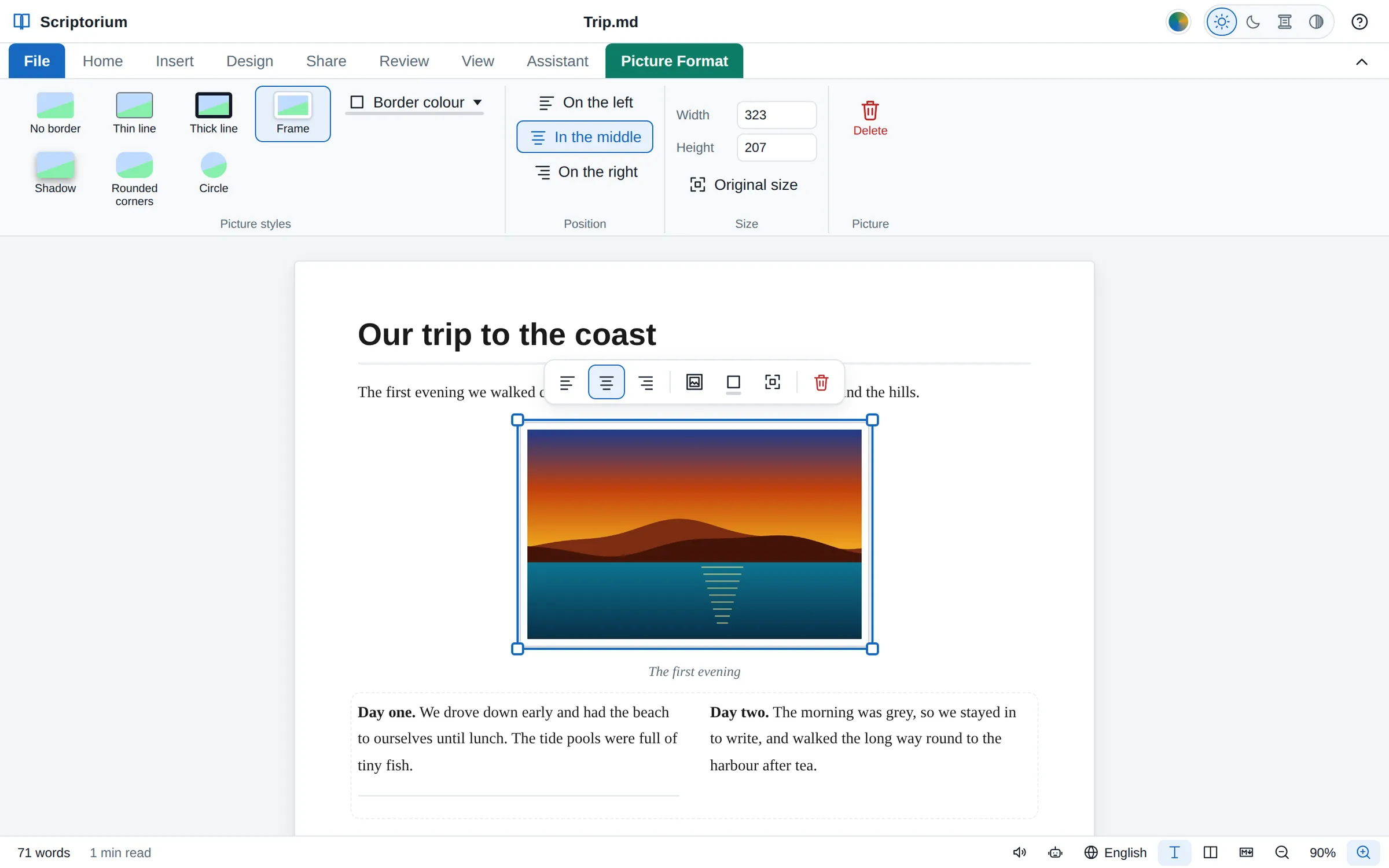
Click a picture to choose it. Drag a corner to size it, put it on the left, in the middle or on the right, and give it a frame, a shadow, rounded corners or a circle. Newspaper columns and rows of text are on the Insert tab, with sample text to type over.
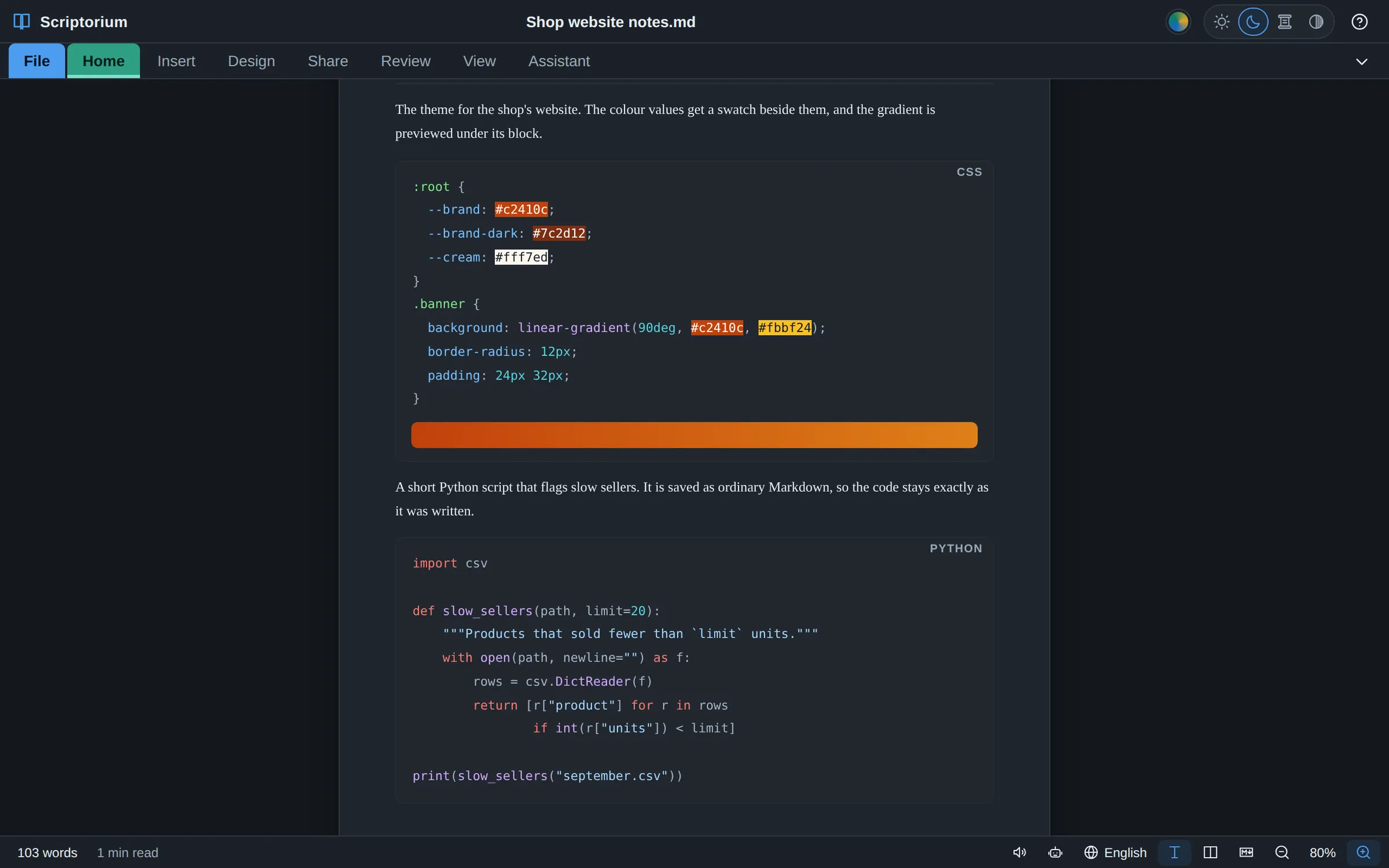
Code in a document shows in colour as you type, the way a programmer’s editor shows it, for HTML, CSS, JavaScript, TypeScript, Python, SQL, JSON, YAML and the shell. Colour values are shown in their own colour, and a CSS gradient is previewed under its block.
The everyday things, done carefully.
Title, headings and quotes on the ribbon, each one yours to change, and templates to start from: a letter, a report, a CV, an invoice, a budget, a mark sheet, a newspaper and more, eighteen of them with their sums worked out.
Numbers lined up on the right, cells merged when a heading needs the room, a table split in two when it should be two, formulas as in Excel, only the lines you want, and rounded or chamfered corners if you like.
Flowcharts and pie charts from a few lines of text, and shapes and a drawing canvas for everything else.
Maths typeset properly, with real fraction bars, roots and aligned working, drawn the same in print, PDFs, web pages and e-books, and simple formulas read aloud in words.
Spelling checked as you type, with the local words of the country you write for, and a word count, the reading time and readability.
Word (.docx) documents, the text of PDFs, web pages, Excel sheets, CSV, JSON, XML and RTF files come in as documents you can edit.
PDF, Word, OpenDocument, RTF, EPUB e-books, web pages, LaTeX and plain text. Your own documents are saved as Markdown, plain text that any program can open.
Light, dark, sepia and high-contrast themes, zoom and pan like a drawing program, and an outline to jump around a long document.
Seventy-one help pages inside the program, written in plain words and translated into all 60 languages, and an assistant that answers from them.
Every menu, button, message and help page in Scriptorium is translated. Change language at any time from the bottom of the window. Arabic, Hebrew, Persian, Pashto and Urdu turn the whole window round to read from the right.
Marked: the eleven written official languages of South Africa, every one of them in full.
Scriptorium needs no account and no internet to do its job. Your documents are ordinary files on your own disk, and they never depend on us.
The full details are in the Scriptorium privacy policy.
The one exception is the assistant, if you choose to set one up: your request, the open document (it can read all of it) and anything you attach go to the AI service you picked, under that service's own terms. With Ollama they stay on your computer.
No subscription and nothing to renew. Try everything for 14 days first. After that, Scriptorium stays a free Markdown reader: every document and project still opens and can be read, for as long as you like.
R1,799 in South African rand, for one computer, for ever
Card payments are handled by Paystack, in rand: from outside South Africa your bank converts it.Card payments by Paystack open here soon; until then we sell by EFT. See the terms and the refund policy.
The easiest way is inside Scriptorium: open File ▸ Licence and press Buy a licence. It knows which computer it is on.
Or buy here. A licence belongs to one computer, so type that computer's code:
Card payments open here soon. Until then we sell by EFT: type the code of the computer the licence is for and press Email us to buy. We reply with an invoice, and send the licence as soon as it is paid.
Paying by EFT, or for a school or office? Email [email protected] with each computer's code, and we will send one invoice and the licences when it is paid.
After you pay, go back to Scriptorium and press I have paid — fetch my licence on the Licence page. That is all. You can do it again at any time, after a reinstall for instance: the licence belongs to the computer.
Everything is switched on for 14 days. No account, no card, no form to fill in.
Scriptorium for the Mac is on its way. Email us and we will tell you when it is ready.
Scriptorium 3.54.0 · Already have it? How updates work
Windows shows this for programs it has not seen many times before. Choose More info, then Run anyway. If your browser holds the download back, choose Keep.
Make it runnable once, then open it: right-click ▸ Properties ▸ Permissions ▸ Allow executing file as program, or in a terminal chmod +x Scriptorium-*.AppImage. Some distributions also need the libfuse2 package.
Open the downloaded .apk file. If Android says that apps from this source are not allowed, choose Settings, turn on Allow from this source, and go back. If Google Play Protect asks, choose Install anyway.
Download the new version and install it over the old one. Your documents, settings and licence stay as they were.
Real documents made in Scriptorium. The PDFs open anywhere; the projects and documents open in Scriptorium, where you can change them.
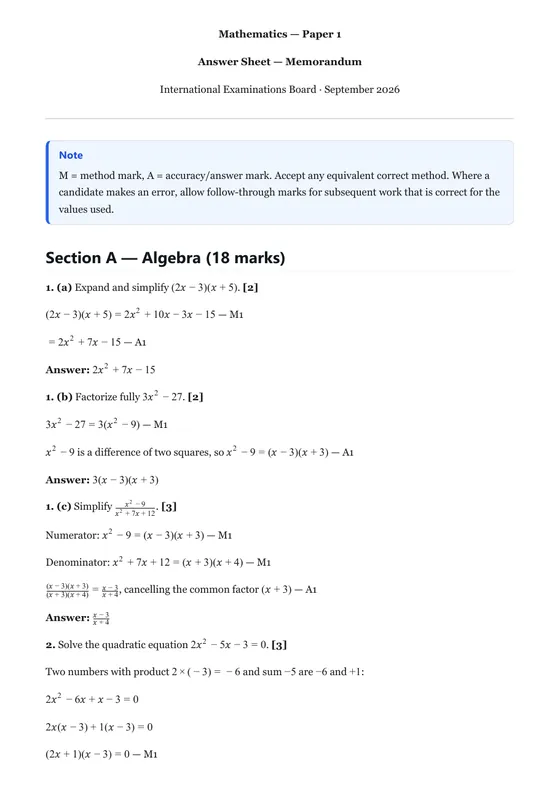
A question paper and its memo in one exam project.
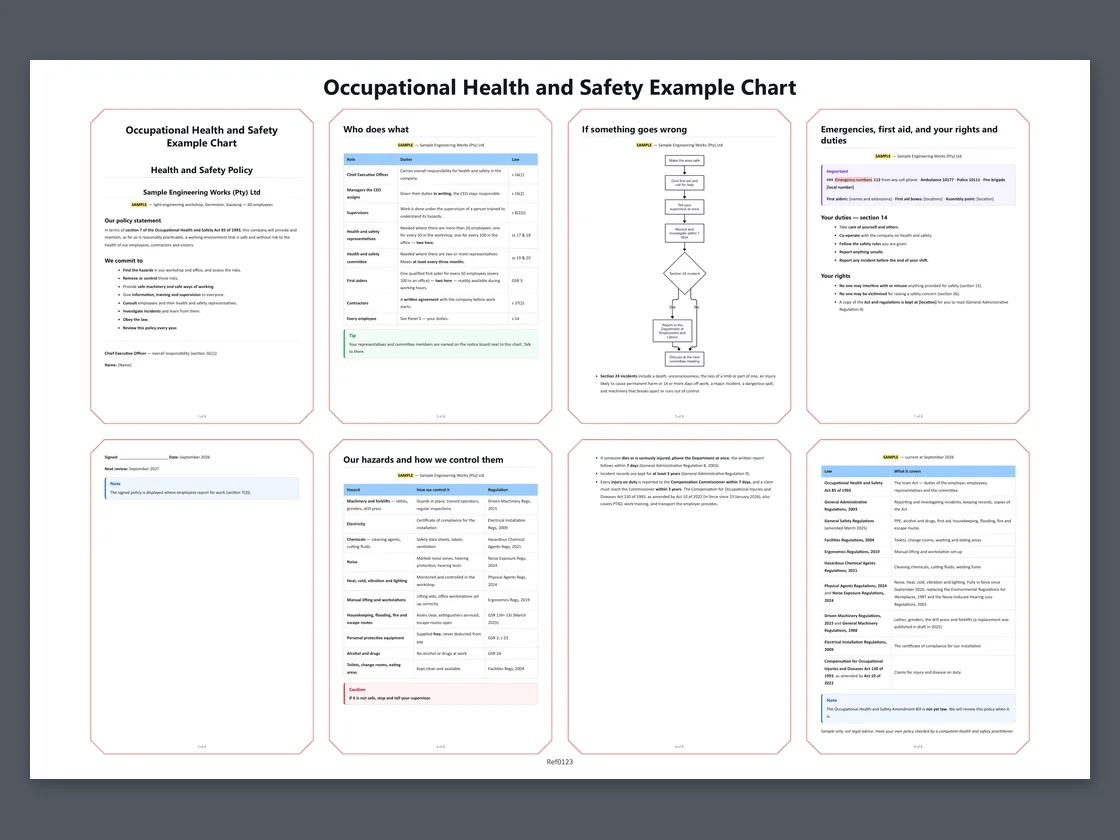
A sample policy, who does what, the hazards, a flowchart and the law: eight pages on one 900 × 610 mm sheet.
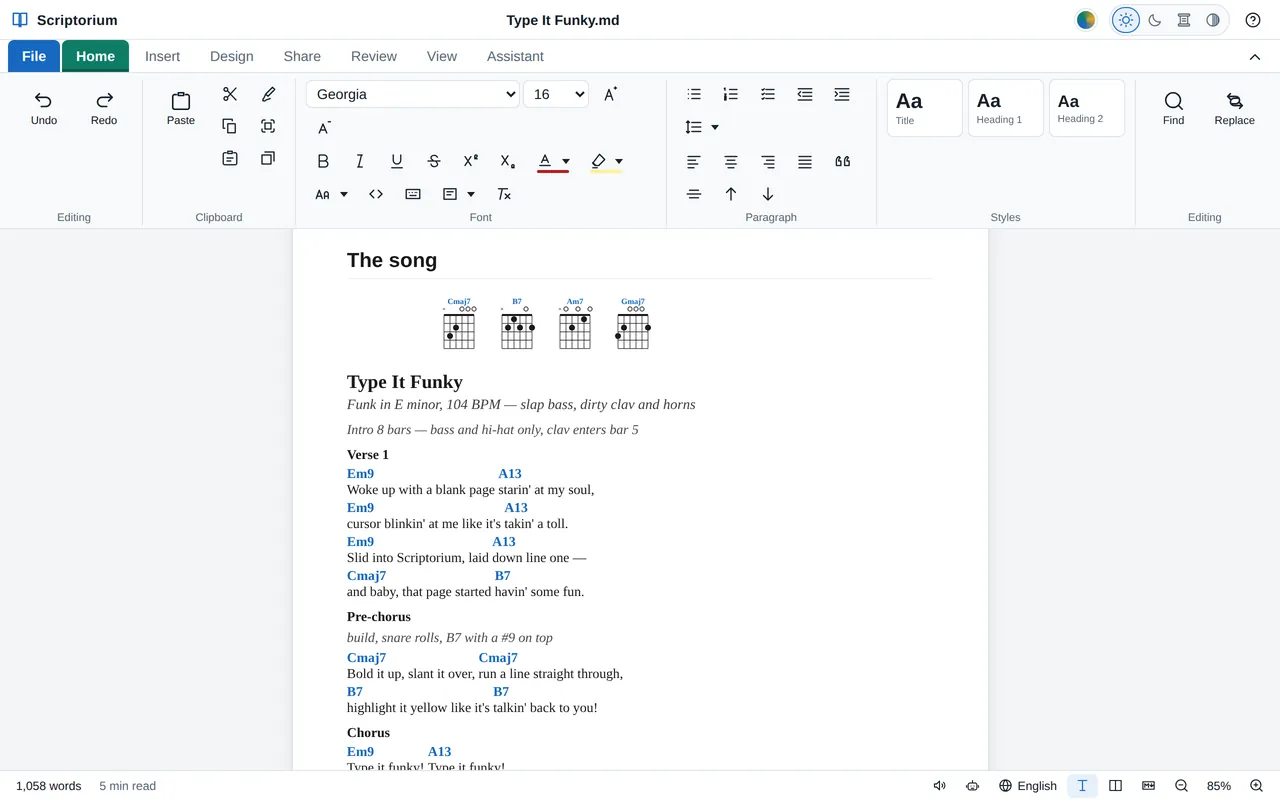
“Type It Funky”: the song map, chords over the words, and the tune in ABC.
Short guides on the blog, from tables without borders, algebra with letters and tables that add themselves up to a newspaper front page, pasting an AI answer, setting an exam paper and printing a wall chart.
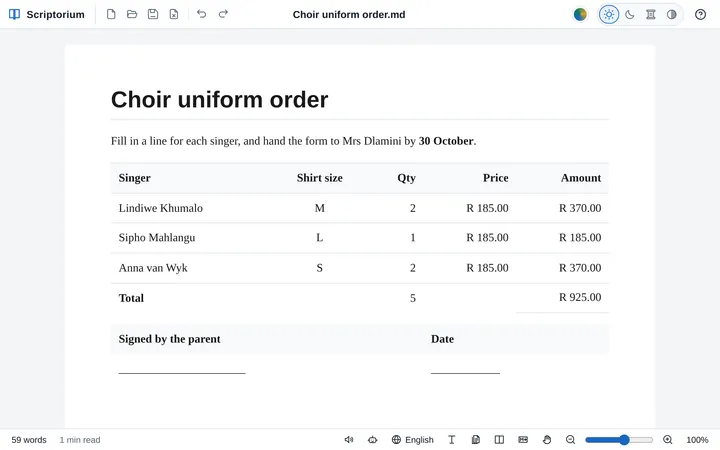 Tables
Leave out a table’s outside lines, its inside lines or all of them, or one cell’s, for order forms, signature blocks and layouts. Faint while you type, gone on paper.
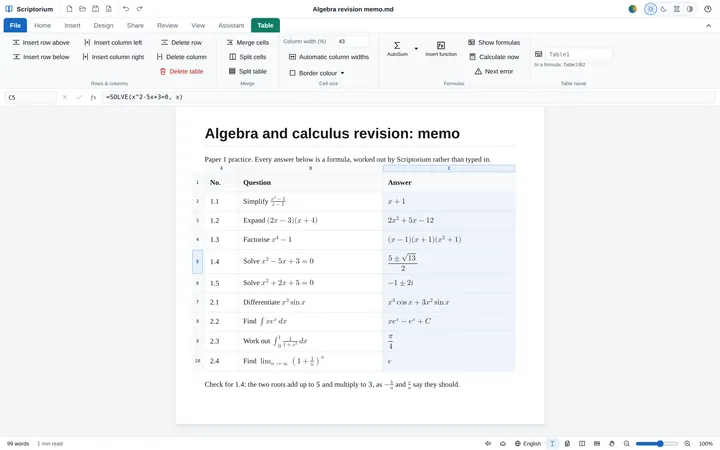 Algebra
Simplify, expand, factor, solve exactly, differentiate and integrate with letters, in a table cell or a sentence, with every answer set as maths and checked before it is shown.
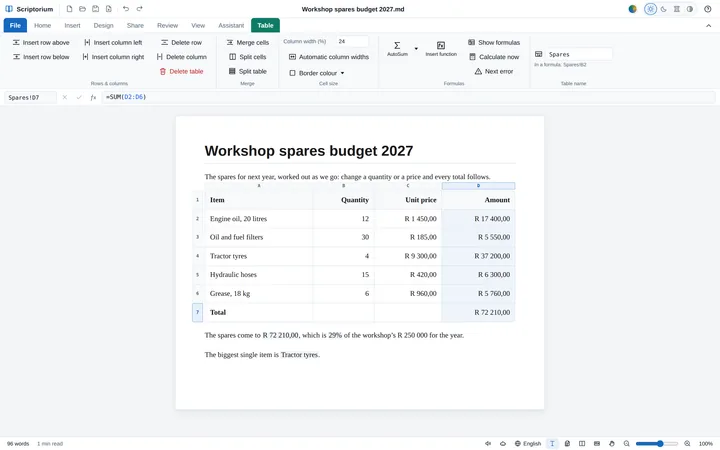 Formulas
Type a formula into a table cell, as in Excel, and the document does its own sums: a formula bar, AutoSum, calculations in sentences, and maths Excel cannot do.
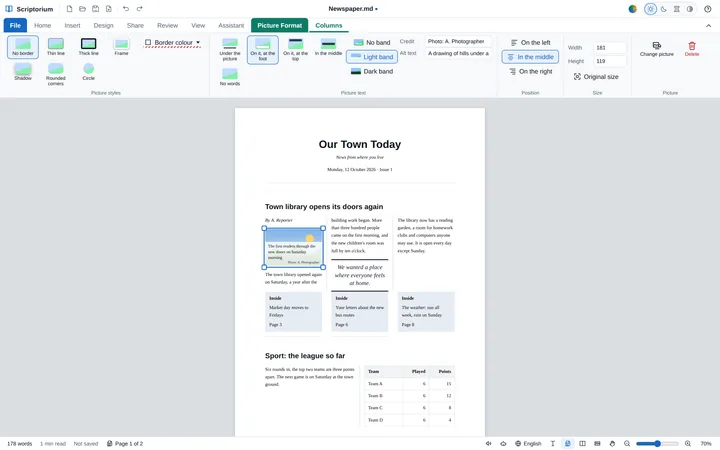 Newspapers
Stories in columns under a headline across them, tables and pictures that stay in their column, captions printed on the photos, and a Newspaper template to start from.
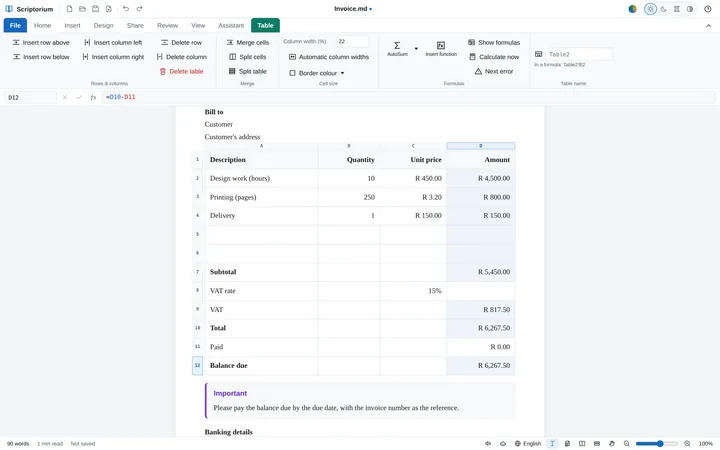 Templates
Every line, the subtotal, the VAT, the total, the due date and the balance due, worked out as you type over the samples. And sixteen more templates that calculate.
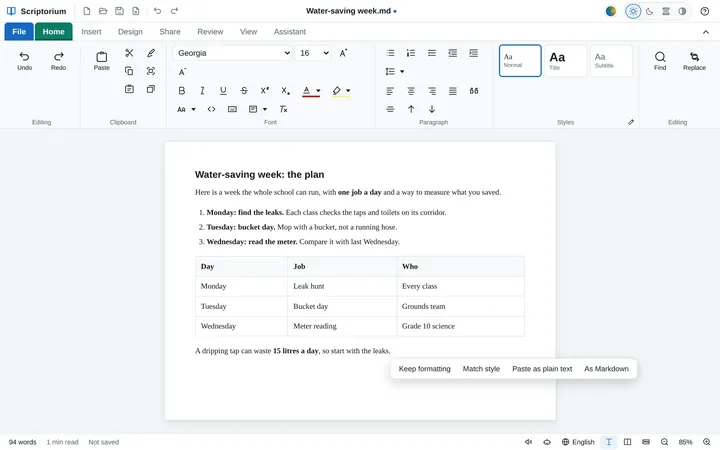 Working with AI
Copy an answer from ChatGPT, Copilot, Claude or Gemini, press Ctrl+V, and get a document: headings, lists, tables, code and formulas, without the chat window’s clutter.
Markdown is plain text with a few marks in it: # in front of a heading, ** around bold words, | between the columns of a table. It is the format ChatGPT, Claude, Gemini and most other AI programs write their answers in, and any program on any computer can open it. You never need to type it: Scriptorium writes it for you as you use the buttons. If you are curious, View ▸ Side by side shows it next to the page.
Yes. Copy the answer and paste it into Scriptorium: the chat window’s colours, buttons, site icons and source marks stay behind, and the answer is laid out as a document, with its headings, lists, tables, code and formulas. When what came with the paste is Markdown, As Markdown in the little box after the paste draws it from that instead. If an AI gives you a .md file, open it directly. And if you ever want the symbols themselves, Paste as plain text keeps them.
Yes. Type a formula such as =SUM(D2:D6) into a table cell and the cell shows the answer, which follows when the figures change. There are Excel’s functions with Excel’s names, a formula bar, AutoSum and Insert function, calculations in the middle of a sentence, and maths Excel does not do, such as exact fractions, solving equations and integrals. Since 3.46 it does algebra with letters too: it simplifies, factors and solves exactly, and differentiates and integrates, with the answers set as maths. Since 3.47 it has Excel’s statistics, bond and database functions, and CONVERT for units, and since 3.48 Excel’s number formats, names, columns by name and totals rows, and Excel workbooks out and in, formulas and all. Since 3.49 an answer that is a block of values, from SORT, FILTER, UNIQUE, GROUPBY and the rest, fills the empty cells around it, as in Excel 365, and LAMBDA makes functions of your own. The file keeps the formulas; printouts and exports get the answers. More in the guides to formulas and to algebra with letters.
Yes. View ▸ Pages shows the document on sheets of the paper you chose, A4, Letter or any other, with its margins, and with every page ending where the printed page ends. Size, Orientation and Margins are on the Design tab.
No. It works on your own computer without a connection. When it is online it checks on its trial or licence now and then, and it uses the internet for things you ask for: the assistant, dictation, voices for reading aloud, registering, and pictures that a document links from the web. The first time you check spelling in a language, its dictionary may be downloaded.
Scriptorium becomes a free Markdown reader. Every document and project still opens and can be read, in every view, the Markdown code included, for as long as you like. Writing, saving, printing and exporting, copying, the assistant and reading aloud need a licence. Enter one and everything comes back at once, with nothing to reinstall.
No. You pay USD 100 (R1,799) once for each computer, and every future version of Scriptorium is free.
Download the newest Scriptorium from this page and install it over the old one. Your licence carries on, because it belongs to your computer, not to a version.
It moves with you. Open Scriptorium on the new computer and copy the code on its File ▸ Licence page. On the old computer, press Move to another computer… on the same page and paste that code; then press I have paid — fetch my licence on the new one. The licence keeps its serial, and every update is still free.
Old computer gone? Paste your licence key on the new computer and Scriptorium offers to move the licence there. Or email us the new computer's code and we will move it. The same goes if Scriptorium ever says your licence is for a different computer.
Yes. The licence covers any lawful use, personal or commercial. Each computer needs its own licence; for several, email us the codes and we will send one invoice.
Yes: it opens Word documents (.docx, the kind Word has saved since 2007) and exports to Word, as well as to PDF, OpenDocument, RTF, EPUB, HTML, LaTeX and plain text, so you can swap files with anybody. Older .doc files need saving as .docx first.
Your documents are saved as Markdown (.md): plain text with a few marks for headings, lists and bold, which any program can open. A project (.quire), such as an exam paper with its memo, keeps its documents together in one file.
No. Everything except the assistant works without one. If you would like the assistant, you can use a Claude subscription through Claude Code, your own key for one of six AI services, or a model running on your own computer with Ollama.
Never to us. Scriptorium sends Momo Designs only a computer's code and a few facts about its trial or licence, as listed above. If you use the assistant, your request and the document it reads go to the AI service you chose.
For Android, yes: download the app for a tablet with Android 7 or later. The Mac version is on its way. Email us and we will tell you when it is ready.
Please use the 14-day trial to make sure it does what you need. If something goes wrong after you buy, email us: see the refund policy for when we refund.
Fourteen days, everything switched on, nothing to sign up for.